When you set up a Fee in Discover
- Select Centre Set Up
- Fees
- Select a Fee

- The Fee Window will open up
- If you scroll down to Holiday Discount, this is where you can apply a discount that will automatically be deducted from the fee when a child is marked as on holiday.
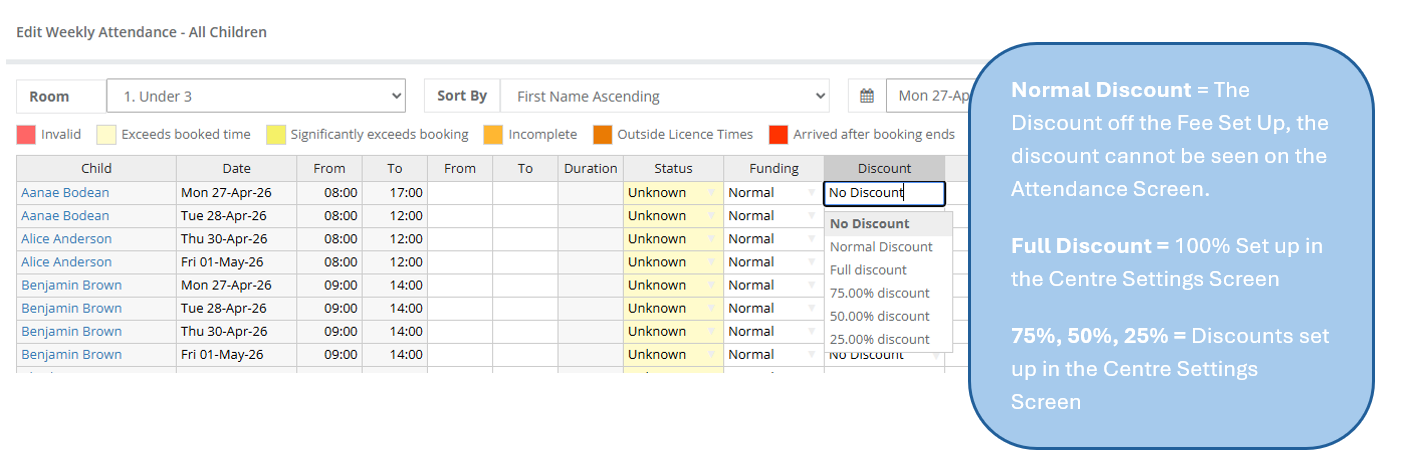
In the Attendance Screen, this will appear as a “Normal Discount.”
Any other discounts created within the Centre Settings screen will display differently in Attendance—for example, as “Full Discount” or “50% Discount,” depending on how they have been set up.
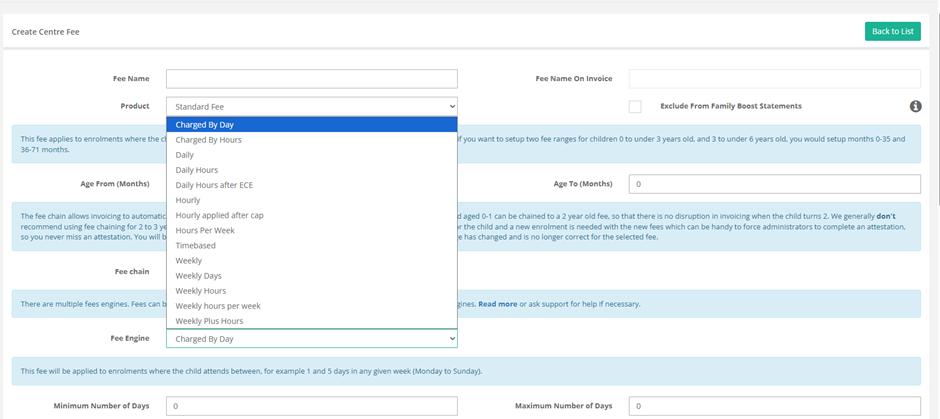
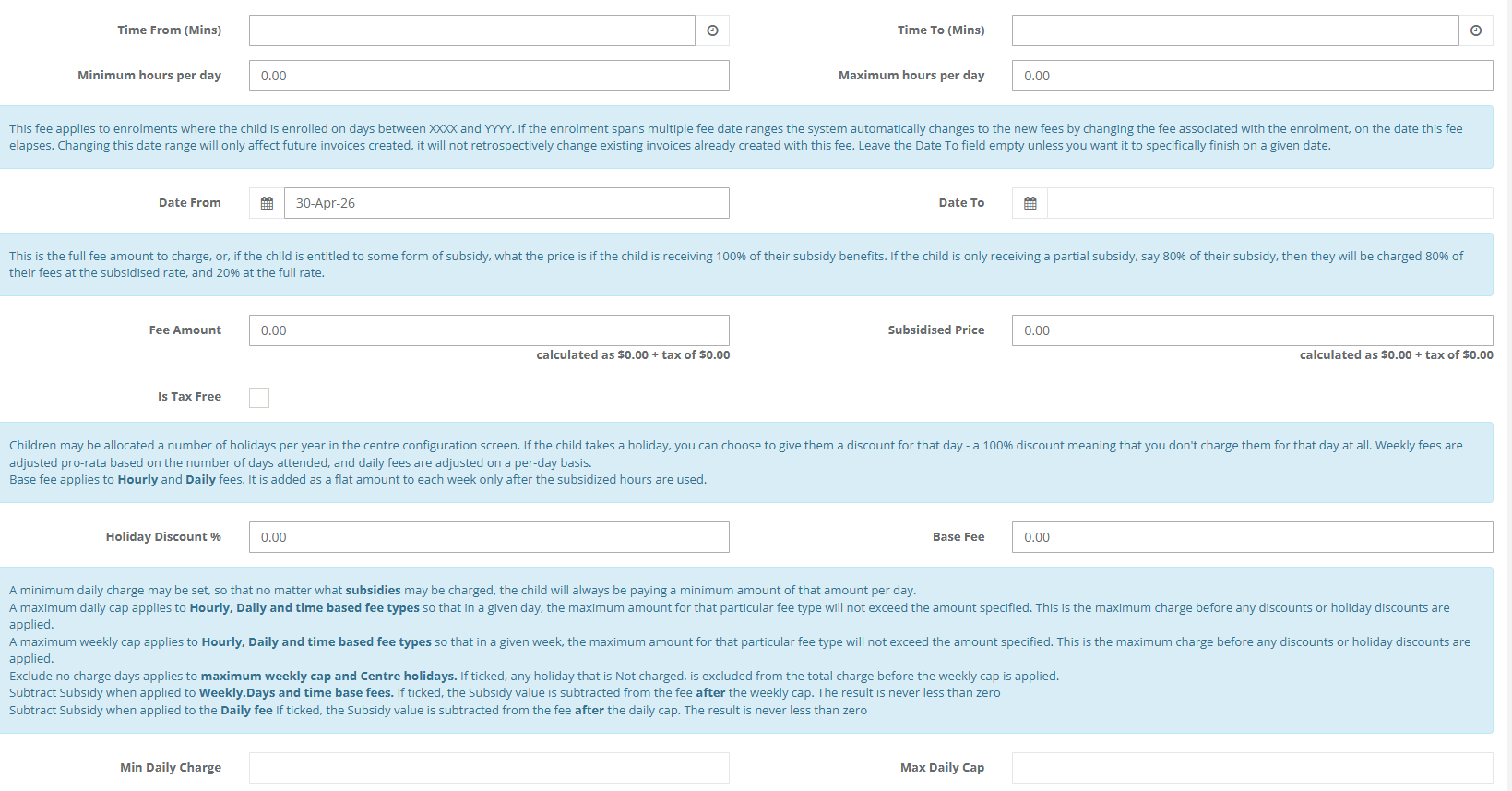

Example of Centre Settings > Centre Set Up > Centre Holidays
Please Note: Centre Holiday Discounts also apply to Absent Days

Was this article helpful?
That’s Great!
Thank you for your feedback
Sorry! We couldn't be helpful
Thank you for your feedback
Feedback sent
We appreciate your effort and will try to fix the article