Best Practice for Updating and Changing Enrolments
We recommend changing enrolments from a Monday date.
The enrolment panel will always show you a full week, e.g. what a normal full week will look like, even if you are changing the effective from date from the middle of the week's enrolment.
When updating an Enrolment you MUST change the Effective From date.
If you do not change the Effective from date this may cause all of your historical invoices to recalculate.
1. Navigate to to the Children tab > Select the Child.
2. Select the Enrolments tab and select one of the following options:
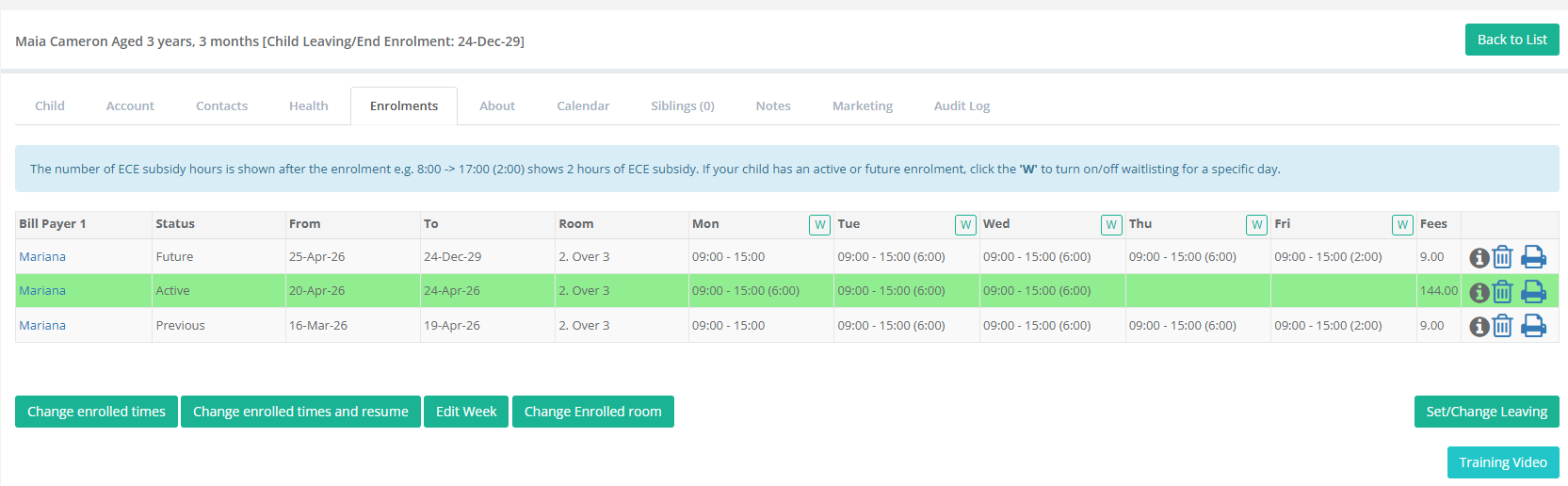
Change enrolled times
this option updates the enrolment schedule permanently from the Effective From and Effective To dates entered. Any other existing bookings after the end date will be automatically cancelled.
Change enrolled times and resume
this option changes the enrolment for a period of time. It will change the enrolment from the Effective From and Effective To dates and then resume any existing enrolment. Any existing bookings after your end date will remain.
Edit Week
this option changes enrolments for one week. Use the arrows at the top right to choose a particular week. The existing enrolment will be automatically split into three enrolments:
The original enrolment will be shortened to finish on the previous week.
There will be a new enrolment created for this week with any modification.
The original enrolment will resume after the current weekends.
Changing rooms
this option retains the enrolment schedule, only changing the room for the child from the date entered in the 'From' field onwards.
Please Note: If the 'Effective From and To' dates overlap with an existing enrolment, the enrolments affected will be updated and create a new split enrolment.
Change the Effective From Date:
Make the changes you require
Select Save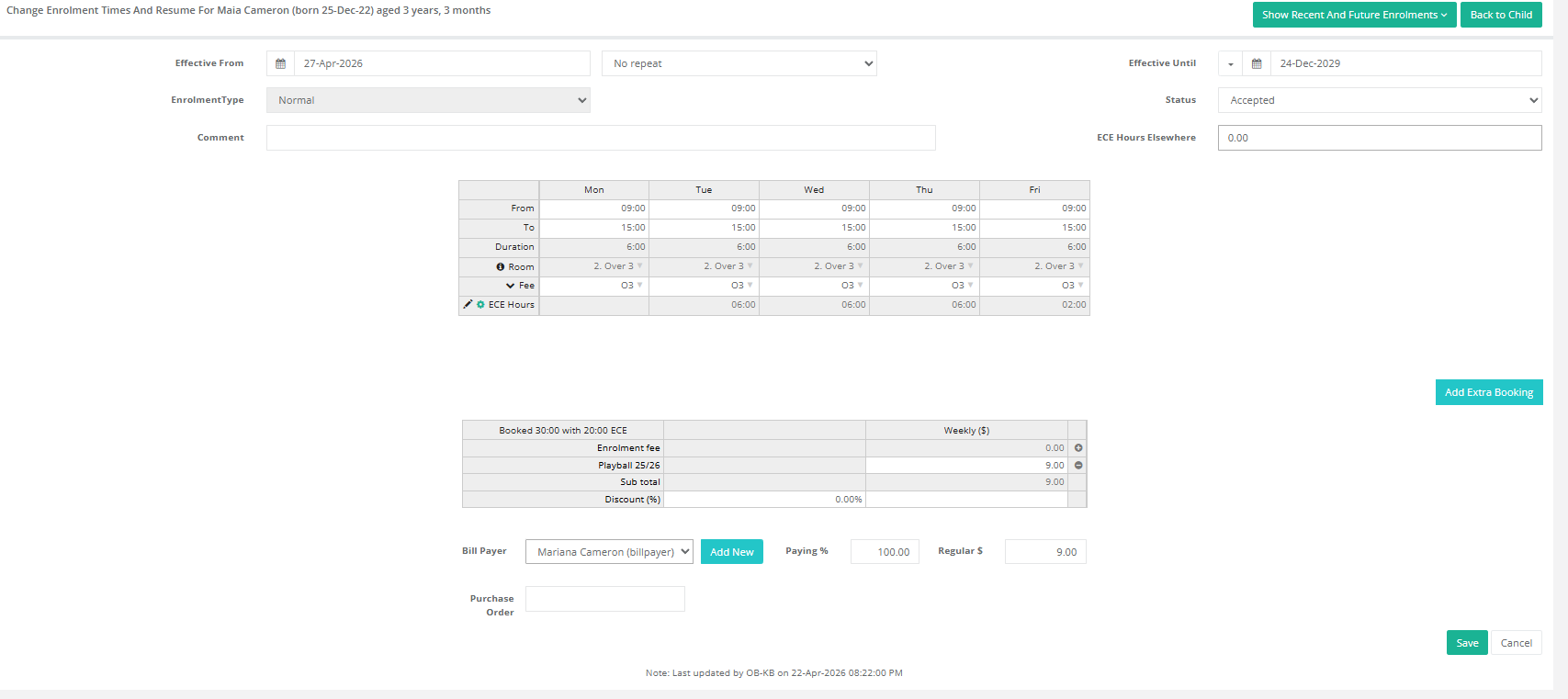
Was this article helpful?
That’s Great!
Thank you for your feedback
Sorry! We couldn't be helpful
Thank you for your feedback
Feedback sent
We appreciate your effort and will try to fix the article