If your service is closing, changing ownership, or no longer using Discover Playground, we recommend exporting any records you may need in the future before your archive date.
As part of the offboarding process, your service data will be securely archived in accordance with regulatory record-keeping requirements.
Important: Learning records and associated data cannot be migrated into a new Discover Playground service under a different owner. If the new owner requires access to historical learning records, these will need to be manually downloaded and retained prior to offboarding.
- Downloading Health Event Reports
- Downloading Learning Records
- Transferring Learning Records to a New Service
- Information for Parents and Guardians
Downloading Health Event Reports
Health-related reports, including incident reports, can be downloaded in bulk through Playground Web.
To download Health Event Reports:
- Log in to Playground Web.
- Navigate to Reports.
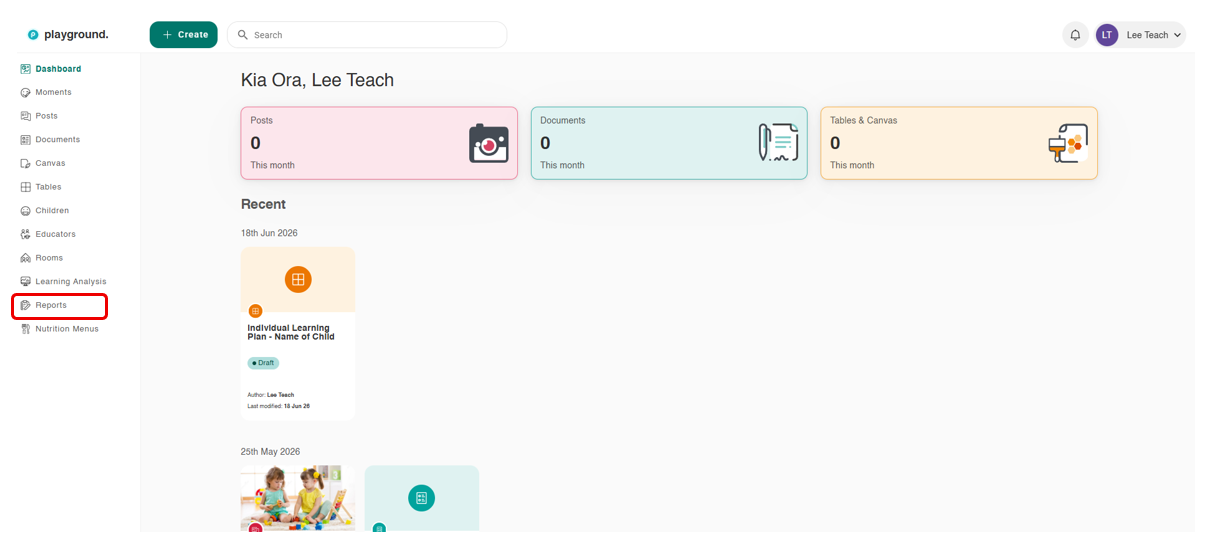
3. Select the Report Type across the top
4. Choose the report type you would like to download (e.g. Incident, Sleep, Medication, Health Checks).
5. Select the required Date Range.
6. Click Download Report.
7. Repeat these steps for each report type you wish to retain.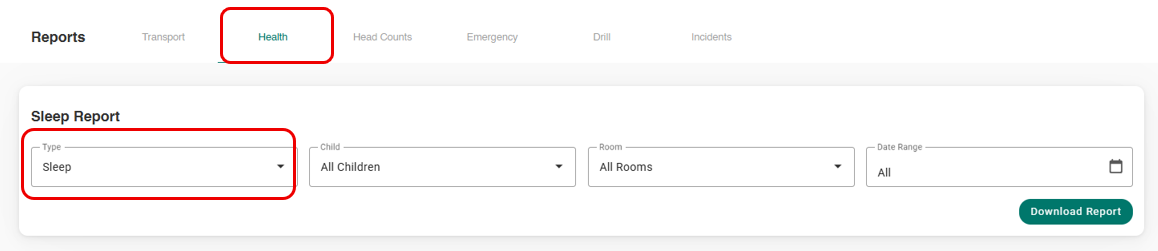
Example:
Reports > Health > Select Report Type > Select Date Range > Download Report
Please Note: While health report data can be downloaded in bulk, individual incident reports and any attachments must be downloaded separately if required.
Downloading Learning Records
Learning records are downloaded individually from each child's profile.
To download Learning Records:
- Navigate to the Children menu.
- Select the child's profile.
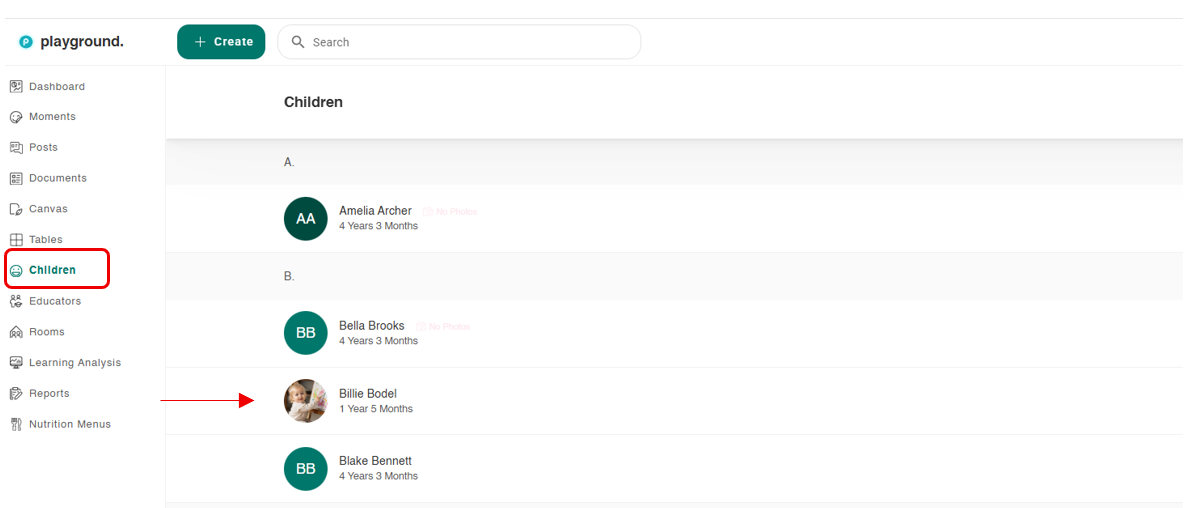
3. Scroll to the earliest learning record.
4. Select the Record to Ope
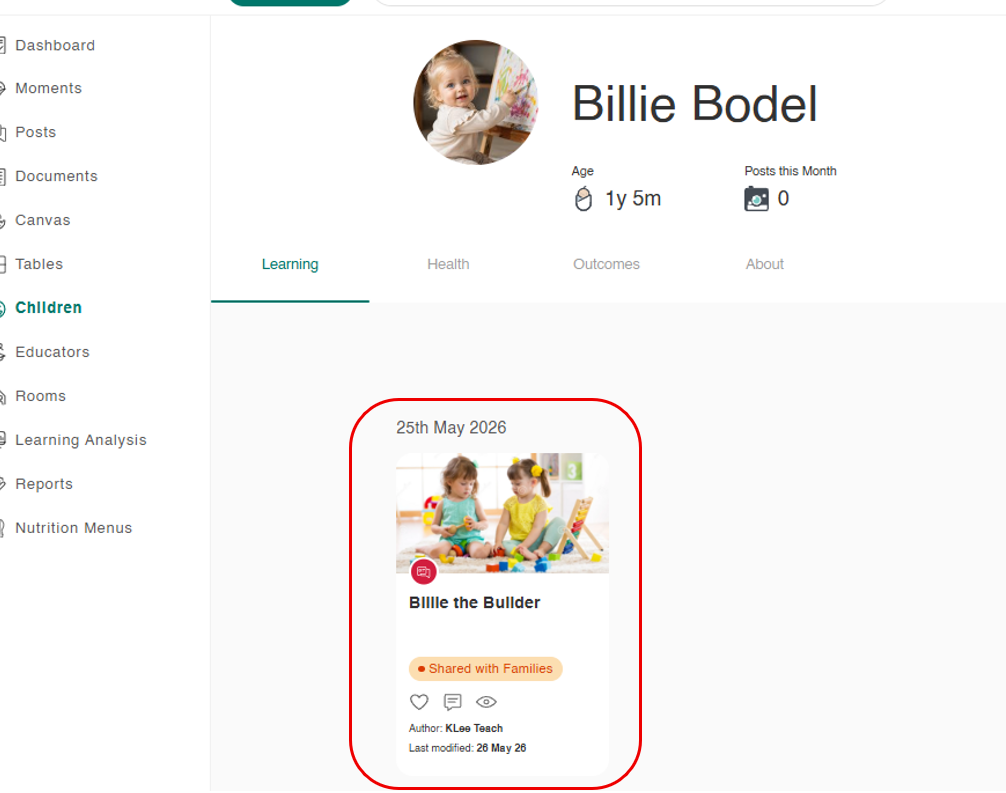
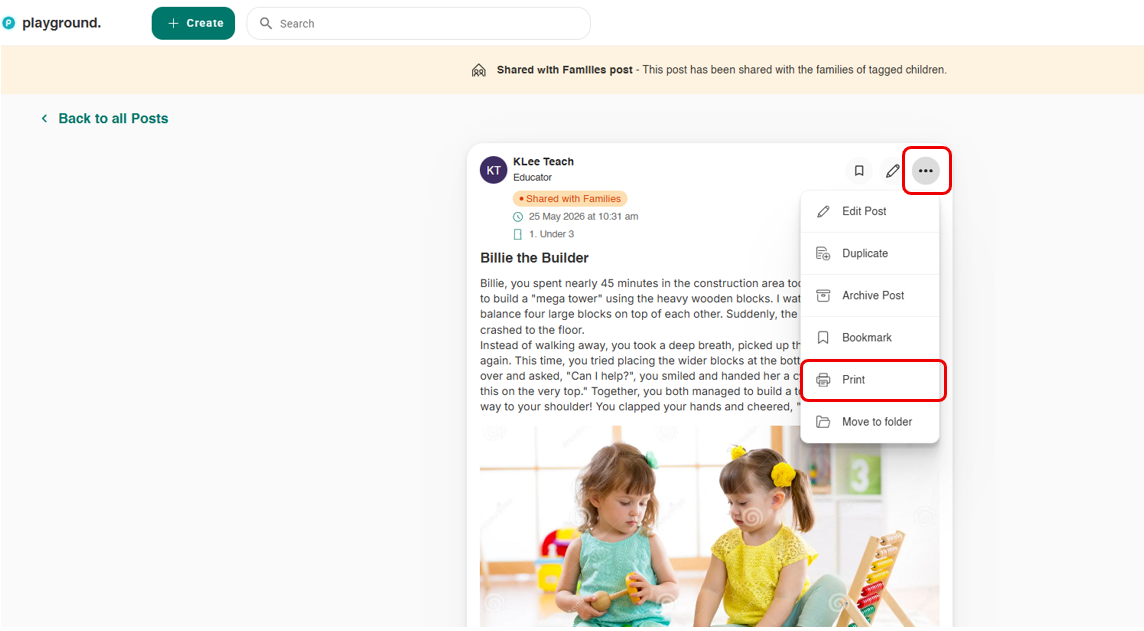
5. Click the three dots (⋮) menu on the learning record.
6. Select Print.
7. Choose either:
- Print to a physical printer; or
- Save as PDF to retain a digital copy.
Repeat this process for each learning record you wish to keep.
Please Note:
- Learning records cannot currently be downloaded in bulk by the service.
- Attachments associated with learning records must also be downloaded individually.
- Historical incident reports must be downloaded one at a time if required.
Transferring Learning Records to a New Service
If a child is moving to another service (Change of Ownership) using Discover Playground, learning records cannot be transferred automatically.
To make learning records available to the new service:
- Download the learning record as a PDF.
- Save the PDF to your device.
- In the new Playground service, create a learning record for the child.
- Upload the PDF as an attachment.
This allows the child's historical learning information to be retained alongside their new records.
Information for Parents and Guardians
Parents and guardians can also download their child's learning journey directly from Home App or Home Web.
This allows families to keep a personal copy of their child's learning records, photos, and memories.
Home App Learning Gallery Bulk Download
The Learning Gallery Archive includes a bulk download feature that allows parents to receive all media their child has been tagged in.
Download Instructions
- Open the Home App.
- Navigate to the Care tab.
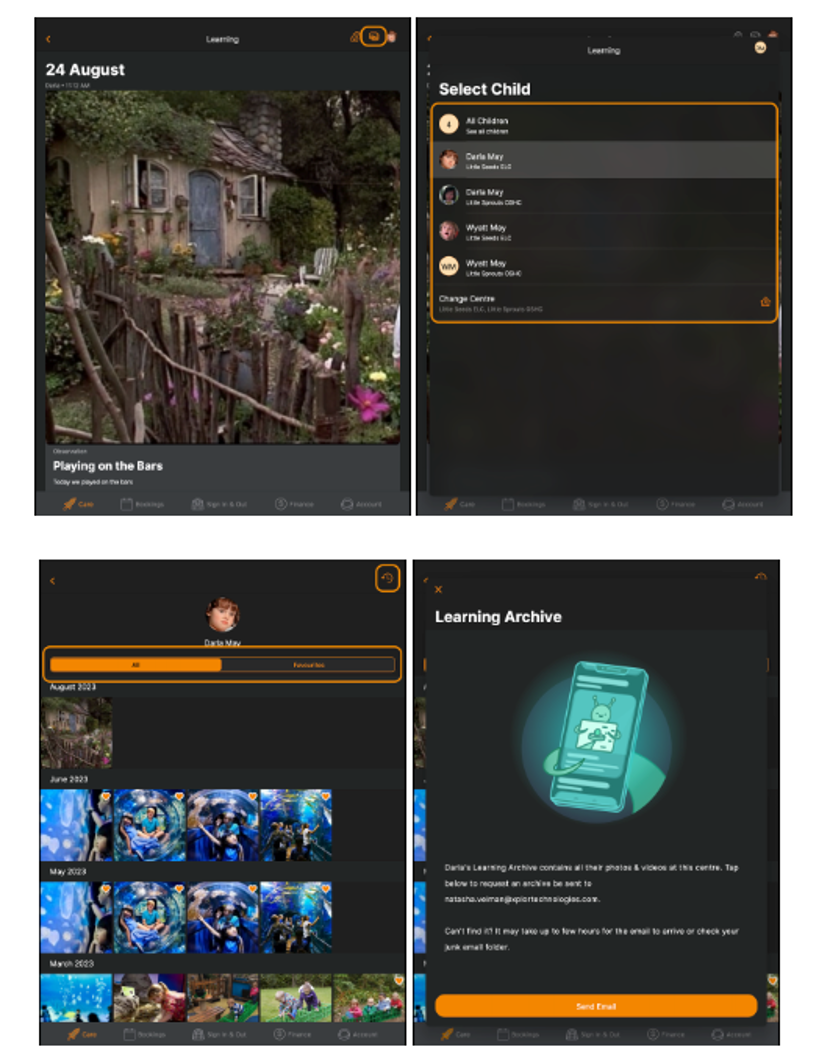
- Select Learning > View All.
- Select the Image Gallery icon.

- Select your child.
- Tap the Clock icon.

- Select Send Email.
- An email containing the child's learning gallery will be sent to the registered email address.
Please Note: Large galleries may take several hours to process and deliver.
If parents would prefer to download individual photos, they can open the image and select the Download icon located in the top-right corner of the screen.
Need Help?
If you have any questions about exporting your data before your service closes or changes ownership, please contact the Discover Support Team. We're happy to assist and help ensure you retain the records you need before your service is archived.
Was this article helpful?
That’s Great!
Thank you for your feedback
Sorry! We couldn't be helpful
Thank you for your feedback
Feedback sent
We appreciate your effort and will try to fix the article