Make sure a leaves date has been added into all Child Enrolments.
If you have not done this yet, action this task first - here
Then move on to the below process
This task can be actioned after your last week of invoicing has been completed
TABLE OF CONTENTS
- Turn Off Automatic Invoicing
- Send Quarterly Statements
- Disable your Xero Connection
- Disable Automated Winz Payments
Turn Off Automatic Invoicing
- Select Centre Set Up
- Select Centre Settings
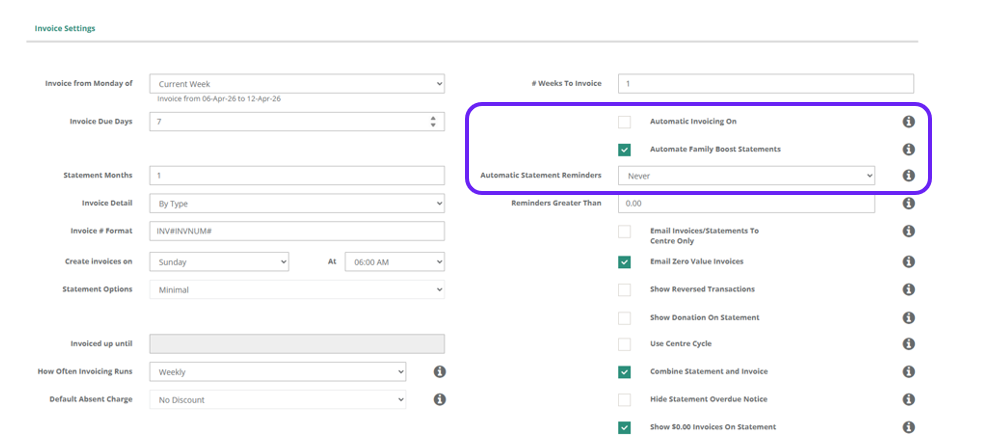
- Scroll down to Invoice Settings
- Once you have completed your Invoicing - Untick Automatic Invoicing On (So it is off)
- Make sure Automate Family Boost Statement is Ticked On
(This will ensure that the Quarterly Boost Statement is sent out and you don't have to log back into Discover and do it at a later date) - Make Sure Automatic Statement Reminders have be Changed to Never
- Scroll to the bottom of the screen
- Select on Save
Send Quarterly Statements
Tick On Automate Quarterly Boost Statements OR
Once your Final Invoices have been generated
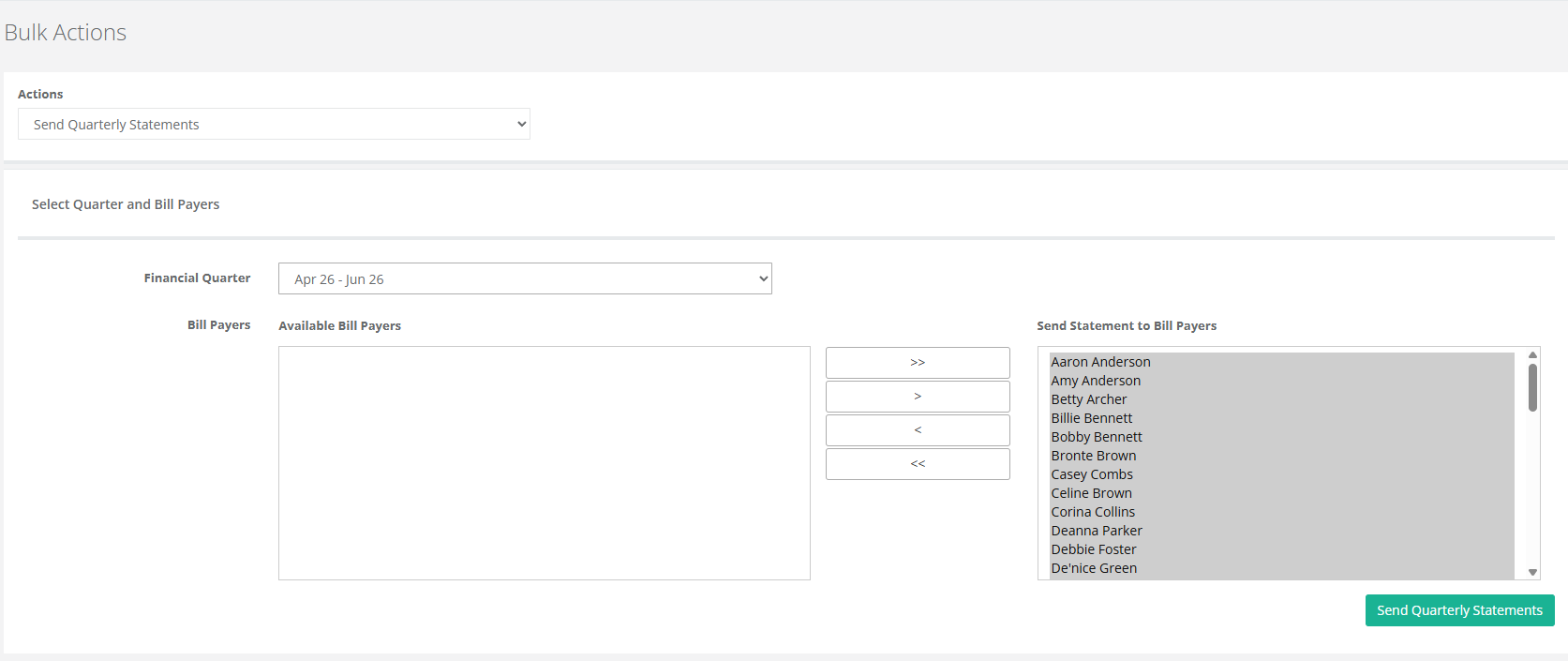
- Go to Bulk Actions
- Select the Financial Quarter (Current Quarter is the norm)
- >> Push all contacts into the "Send Statement to Bill Payers" section
- Send Quarterly Statements
Disable your Xero Connection
- Once you have reconciled all parent payments
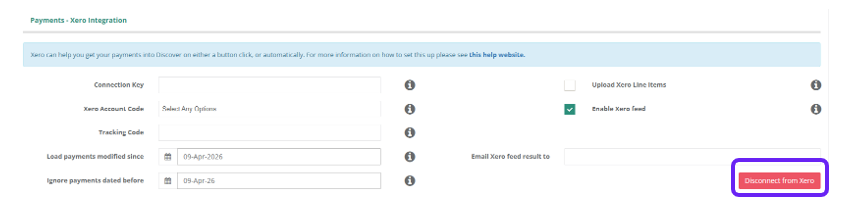
- Scroll down to Payments - Xero Integration
- Select on Disconnect from Service
- Scroll to the bottom of the screen
- Select Save
Disable Automated Winz Payments
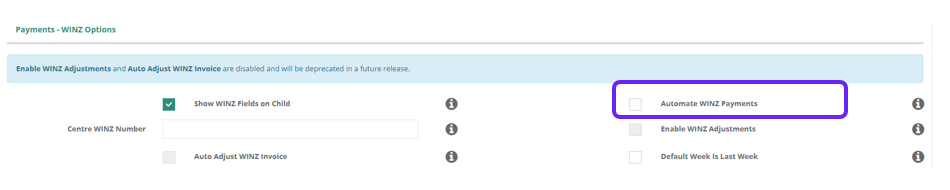
- Scroll down to Payments - Winz Options
- Untick Automate Winz Payments
- Scroll to the bottom of the screen
- Click on Save
Was this article helpful?
That’s Great!
Thank you for your feedback
Sorry! We couldn't be helpful
Thank you for your feedback
Feedback sent
We appreciate your effort and will try to fix the article