We recommend downloading all available reports covering your first to last day of operation. For a full list of available reports, refer to the Discover: Reports Guide
If you have chosen to Archive your data, you will be able to log in to Discover and run Reports when required. You will not be able to make any changes after your Offboarding date.
Key Reports to Download Include:
- Attendances
- Staff and Teacher Information
- Staff Rosters
- Parent and Child Details
- Closing Account Balances
- Transaction Records
- Funding Reports
Attendances
Navigation: Reports > Children Reports
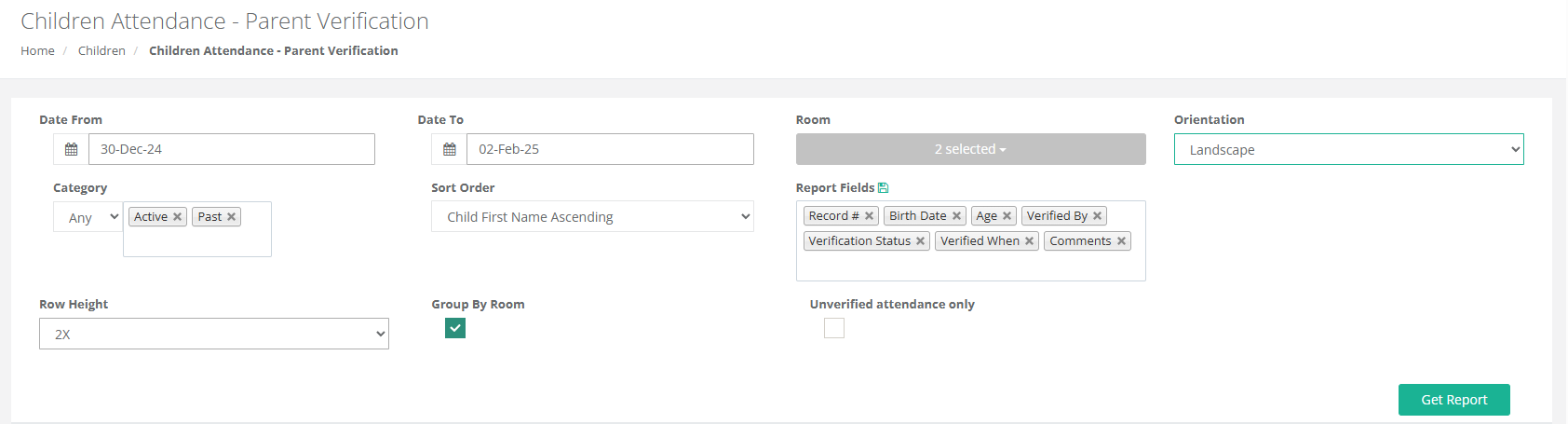
Select > Children Attendance - Parent Verification
Select the Dates & the Report Fields you want to Include in your Report
Select Get Report
OR
Navigation: Reports > Children Reports
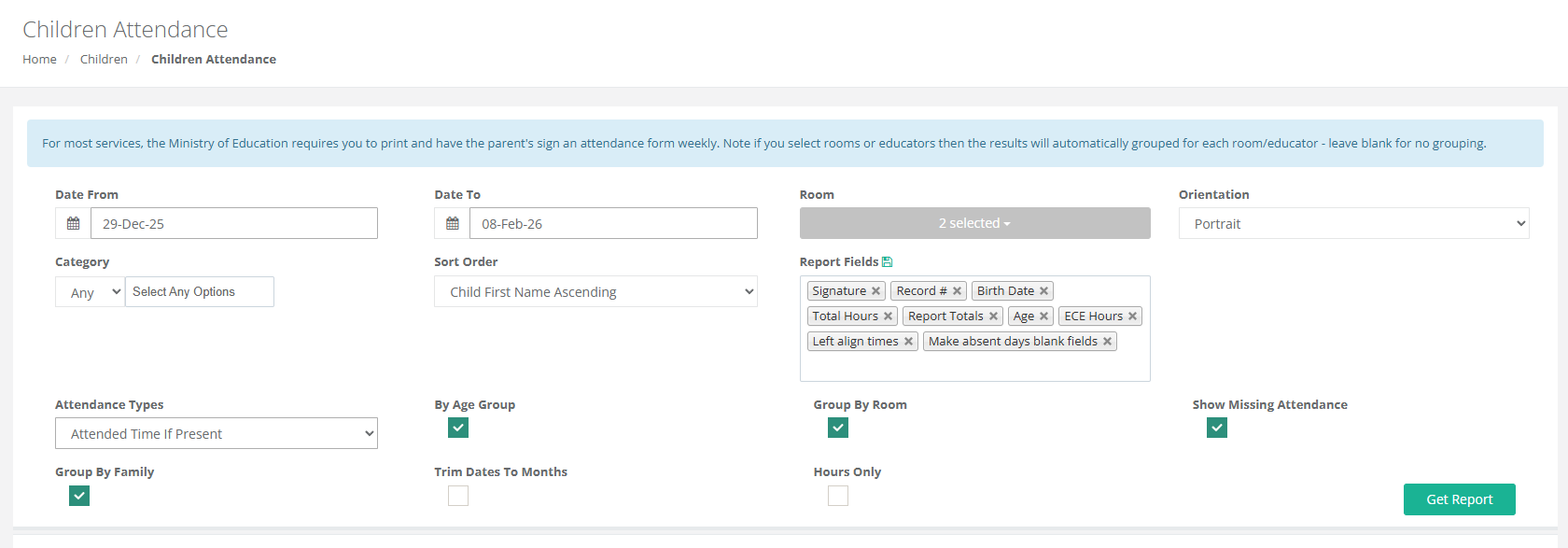
Select > Children Attendance
Select the Dates & the Report Fields you want to Include in your Report
Select Get Report
Staff and Teacher Information
Staff Details
Navigation: Reports > Staff Reports
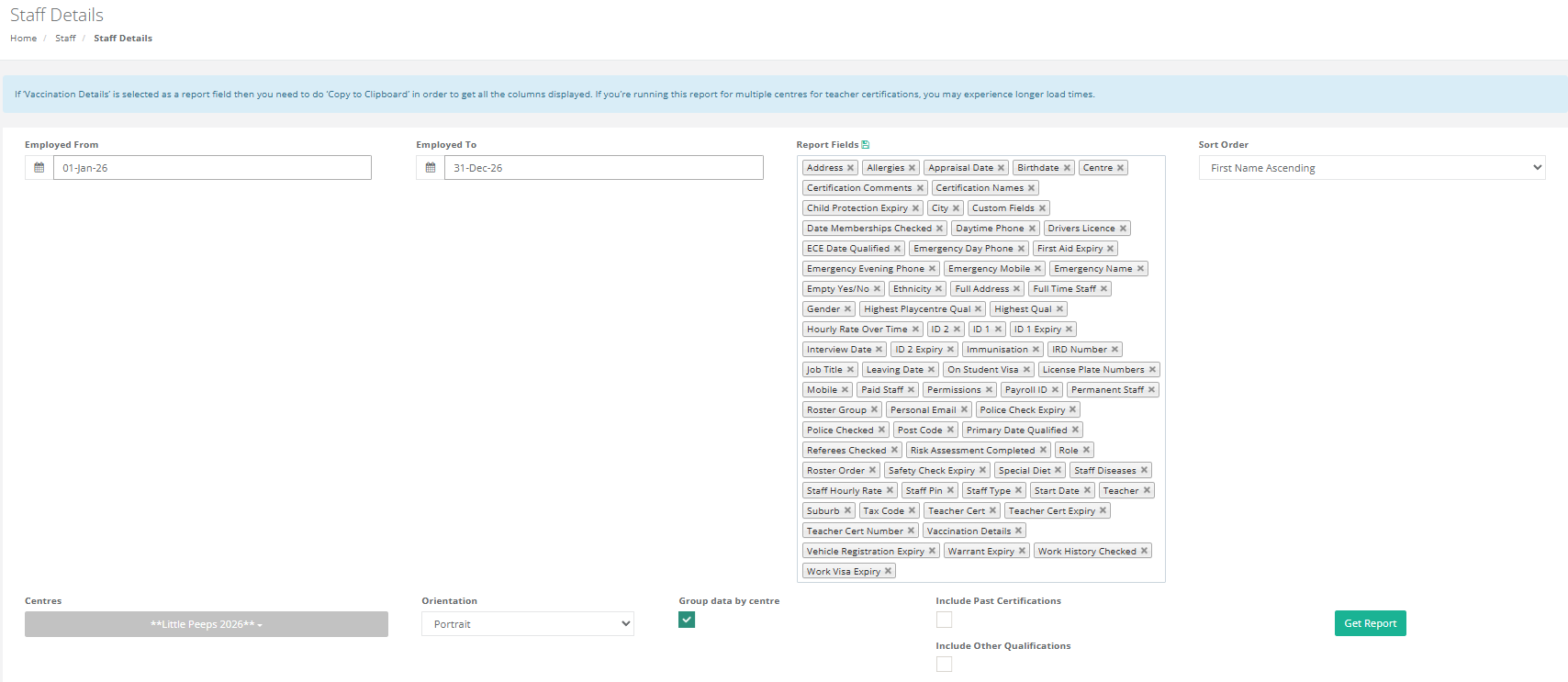
Select > Staff Details
Select the Dates & the Report Fields you want to Include in your Report
Select Get Report
Staff Rosters are sgned by the relevant Teacher each week so you will have them on file already.
Staff Rosters
Navigation: Reports > Staff Reports
Select > Staff Roster Geographical Timetable
Select the Dates & the Report Fields you want to Include in your Report
Select Get Report

Parent and Child Details
Navigation: Reports > Children Reports
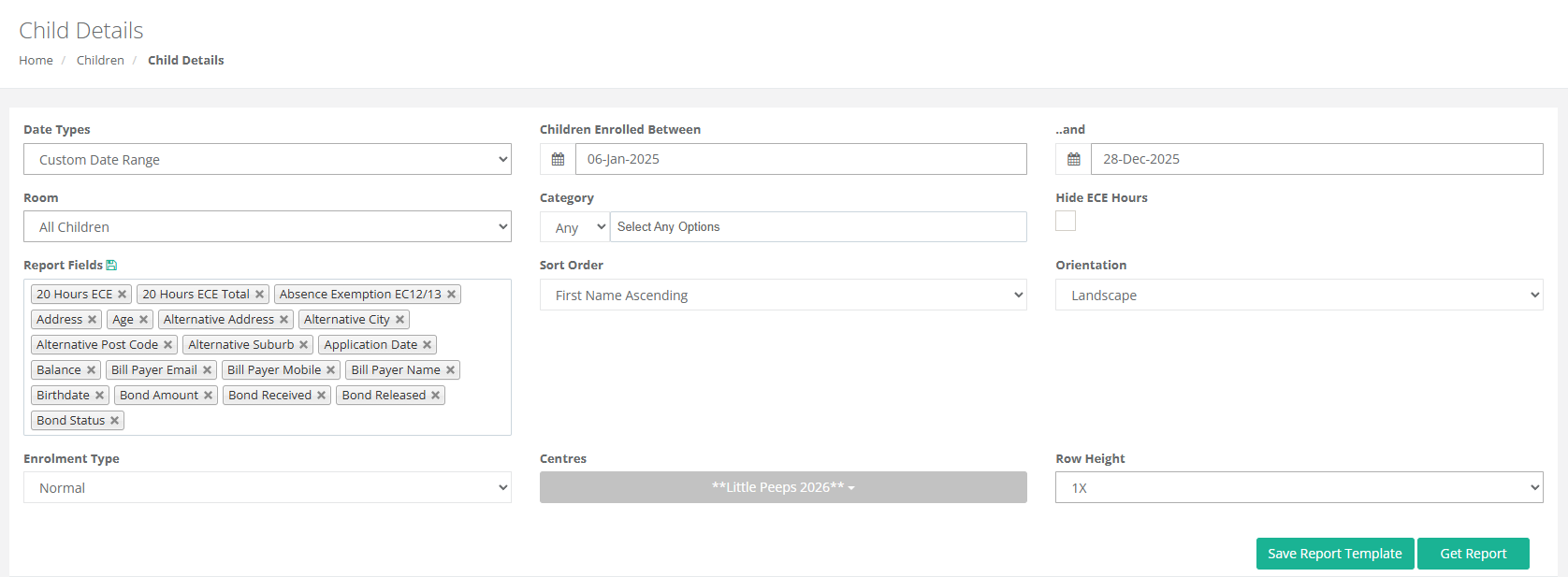
Select Child Details
Select the Dates & the Report Fields you want to Include in your Report
Select Get Report
Closing Account Balances
Navigation: Reports > Financial Reports Reports
Select Centre Balance
Select the Dates & the Report Fields you want to Include in your Report
Select Get Report

Transaction Records
Navigation: Reports > Financial Reports
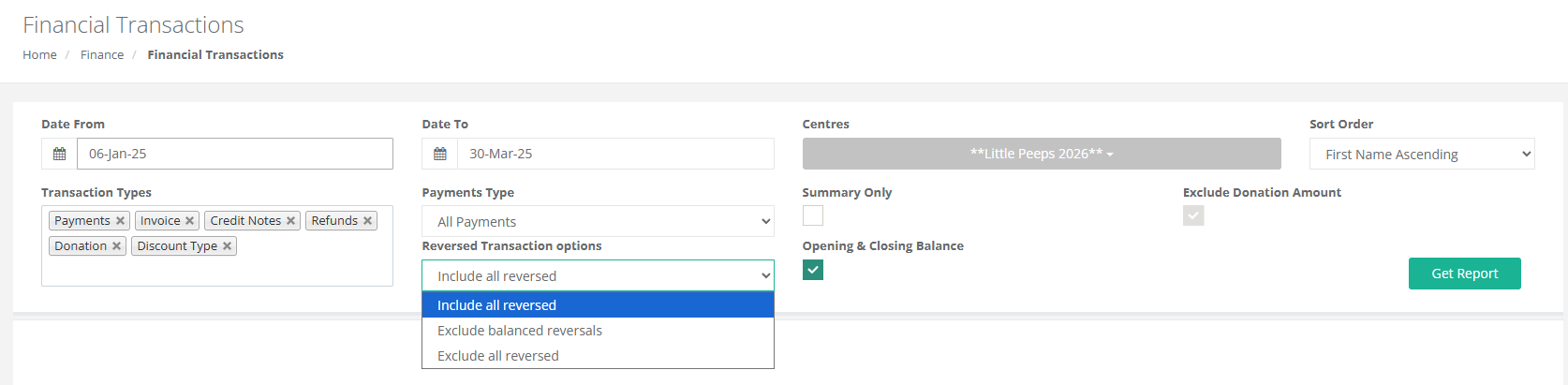
Select Financial Transactions
Select Transaction Types & Payment Types that you want to include
Select other optional fields
Select Get Report
Please note: This Report can only be run for 124 days at a time.
- For further information regarding storage of Service Records, please refer to the The Ministry of Early Childhood Education Handbook for all the requirements pertaining to the storage of historical data.
- Please see The Ministry of Education Early Childhood Education Handbook updates are listed on this page.
Funding Reports
Navigation: Reports > Financial Reports
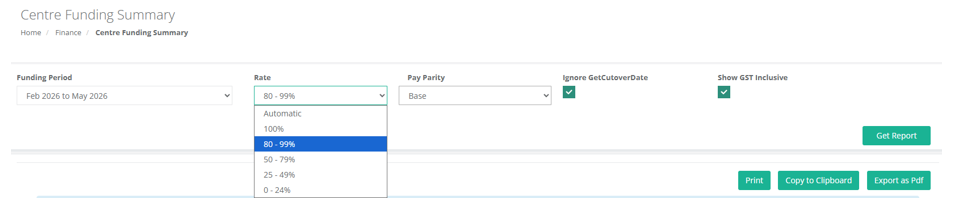
Select Centre Funding Reports
Select the Funding Period
Select Rate
Select relevant Pay Parity Option
Select the Optional Settings you wish to include
Select Get Report
 Navigation: Reports > Children Reports
Select Frequent Absences
Select Month and other relevant Options
Select Get Report

Was this article helpful?
That’s Great!
Thank you for your feedback
Sorry! We couldn't be helpful
Thank you for your feedback
Feedback sent
We appreciate your effort and will try to fix the article