You can choose between manually recording Winz or Setting up Automated Winz Payments.
To Manually Record Winz Payments:
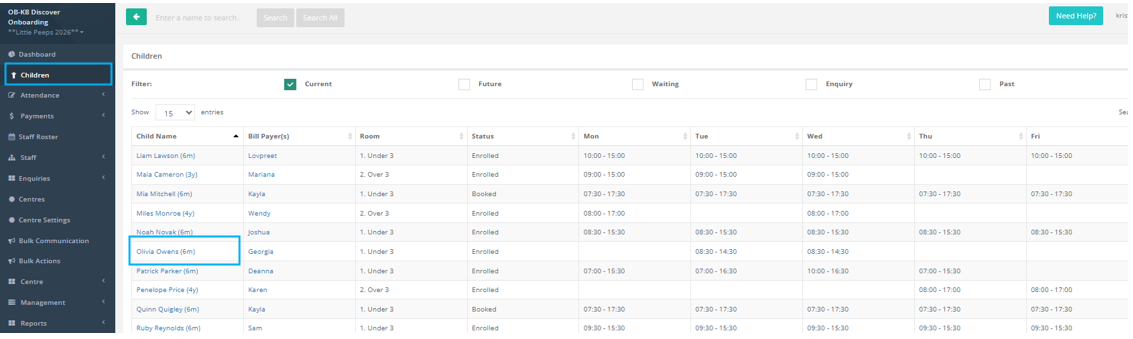
- Select the Children Menu
- Select the Child Name
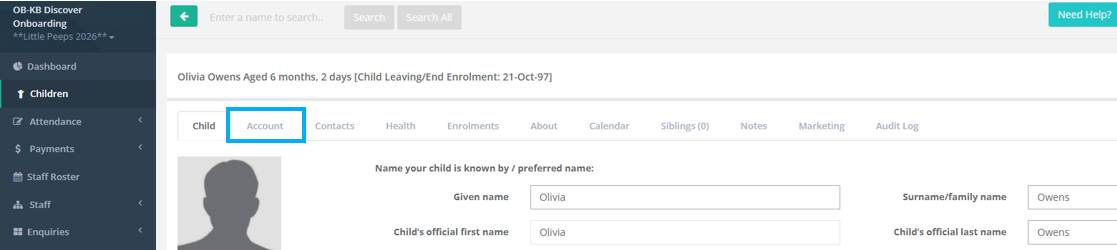
- Select the Account Tab
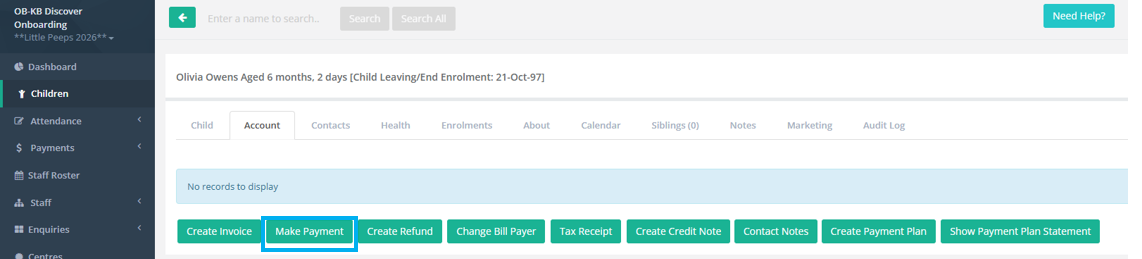
- Select Make a Payment
- Select the Receipt Date
- Add a Receipt Comment
- Add a Transaction Reference
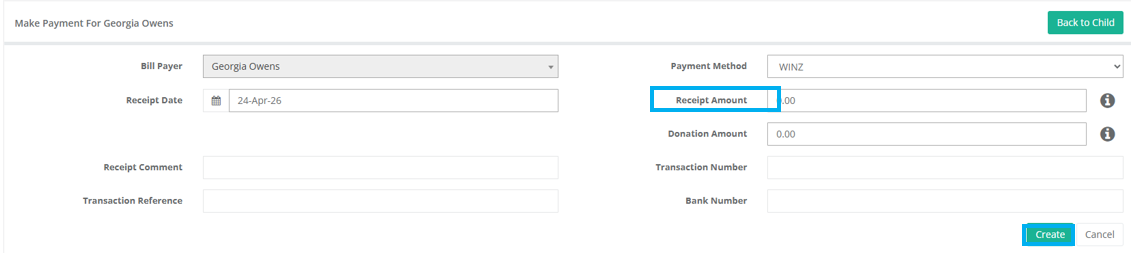
- Payment Method: Scroll to the last Option and select Winz
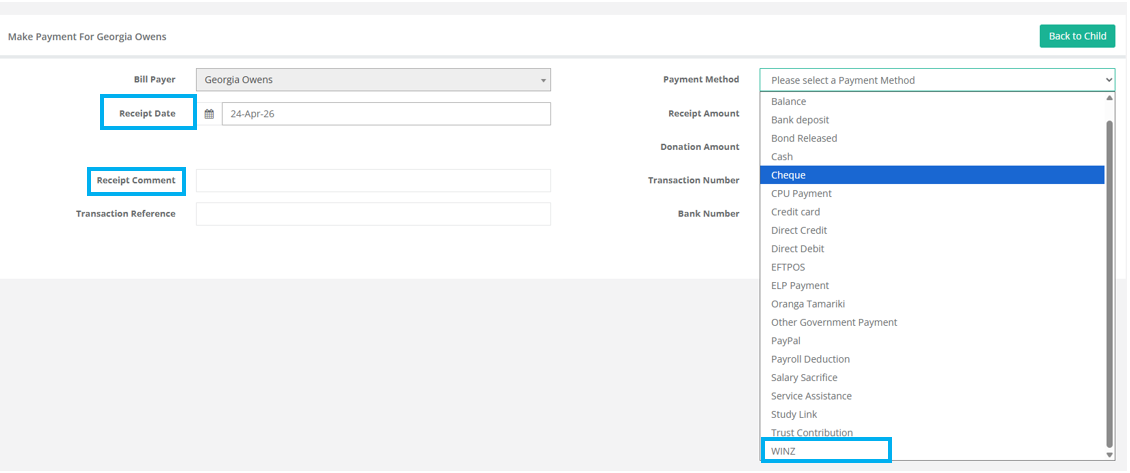
Once you have selected Winz
- You can add in the amount and any other fields you require
- Select Create
Was this article helpful?
That’s Great!
Thank you for your feedback
Sorry! We couldn't be helpful
Thank you for your feedback
Feedback sent
We appreciate your effort and will try to fix the article