- Go to Centre Settings
- Centre Details
- Go to Enrolment Types
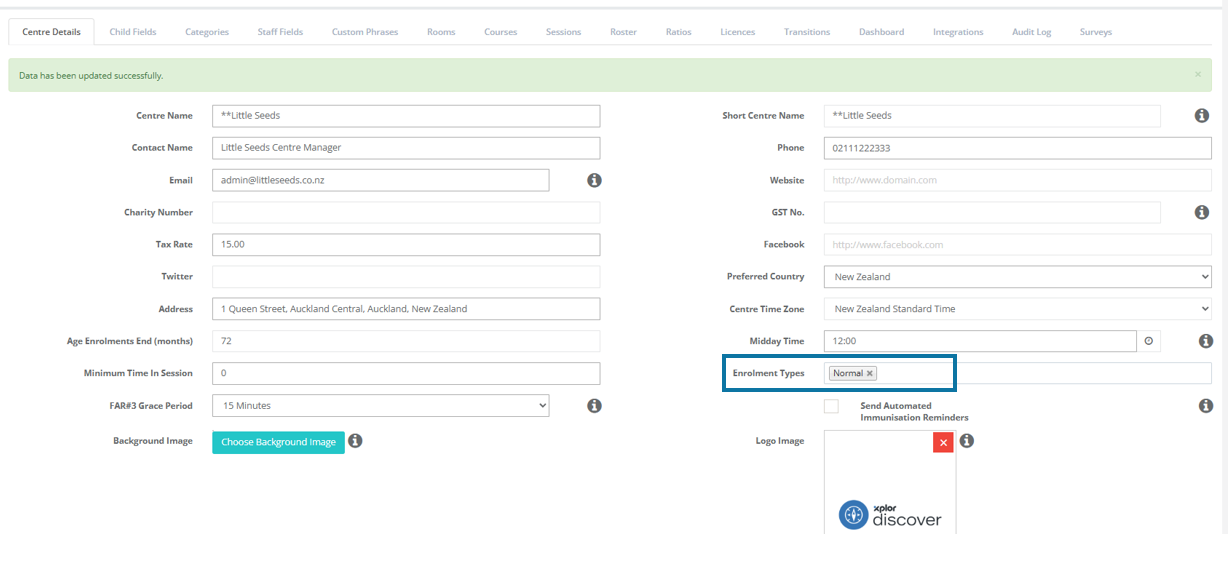
- Click onto the Enrolment Types Box
- Select the other Enrolment Types
- Scroll to the bottom
- Select Save
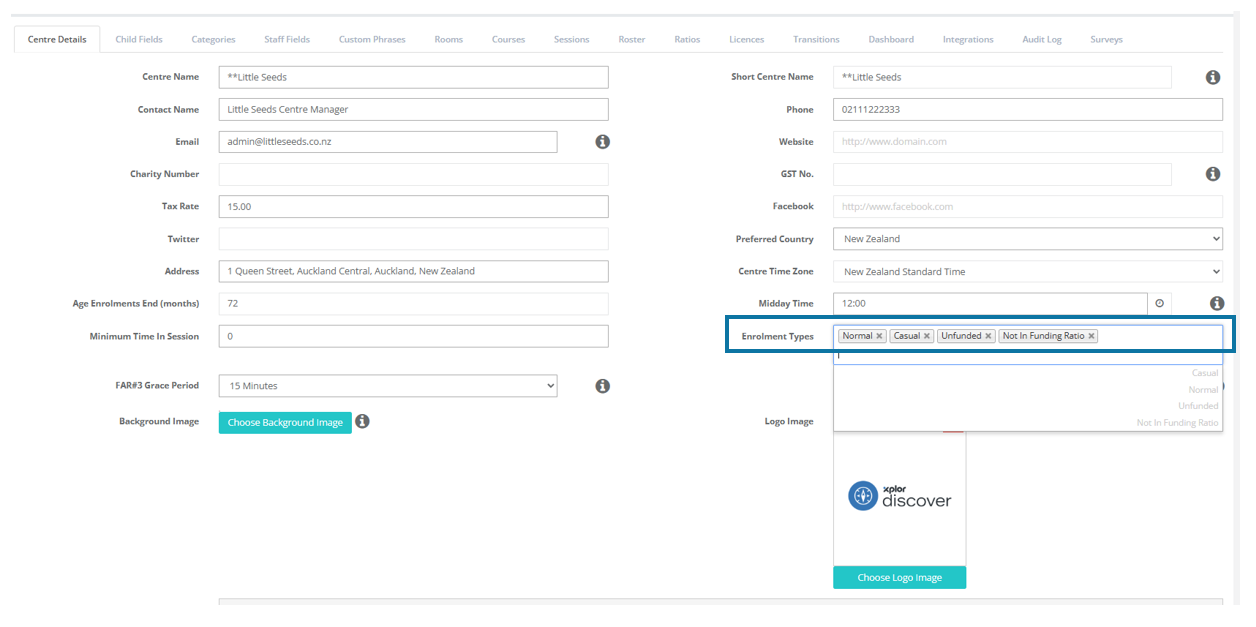
Now when creating children's enrolments you will have four enrolment types to choose from.
Was this article helpful?
That’s Great!
Thank you for your feedback
Sorry! We couldn't be helpful
Thank you for your feedback
Feedback sent
We appreciate your effort and will try to fix the article