Occasionally, the person listed as responsible for the child’s enrolment and billing will need to be changed.
This can be used when siblings are enrolled under separate parent/guardian accounts and you would like them to appear on a single statement, under the same parent guardian
- To make this change in Discover:
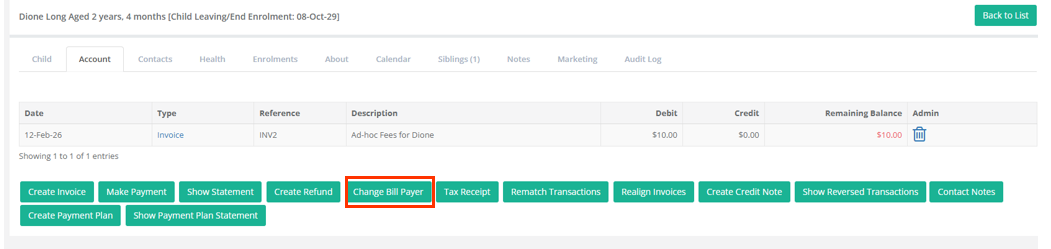
- Go to the Children Menu > Select the Child Name
- Go to the Account Name
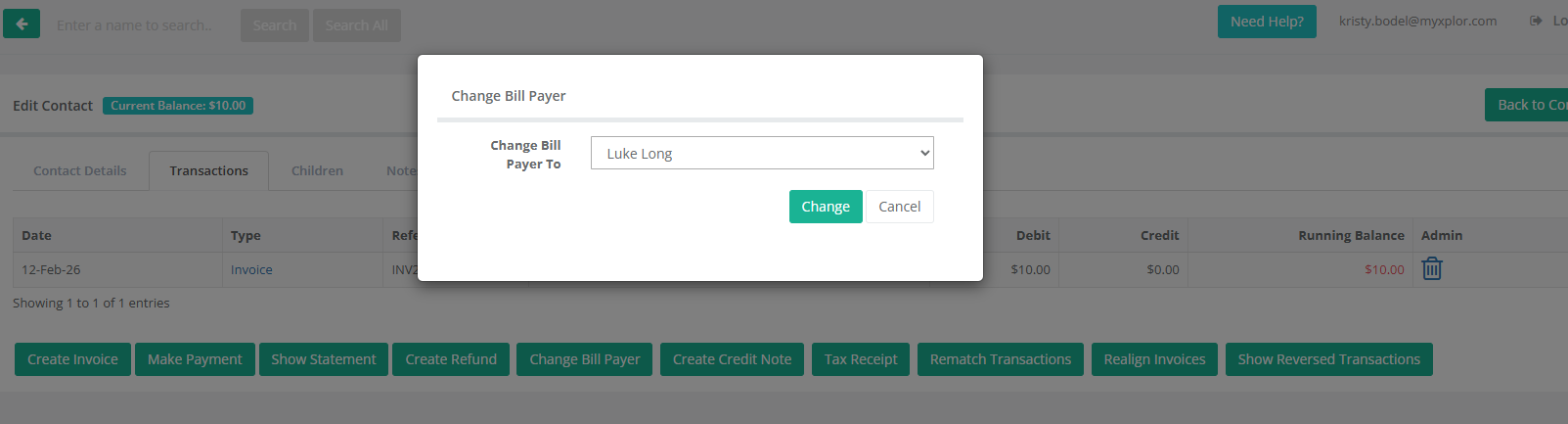
- Select Change Billpayer.
- Choose the contact who will be responsible for the child’s account.
- Select Change
- This will move the child under the selected contact and update enrolment, invoices, and payments in one step.
Was this article helpful?
That’s Great!
Thank you for your feedback
Sorry! We couldn't be helpful
Thank you for your feedback
Feedback sent
We appreciate your effort and will try to fix the article