Discover is moving to an updated secure login service to provide a more consistent and secure way of signing in.
While the login screen will look a little different, your Discover account is not changing.
You will continue to sign in using your existing System Login Email and password.
How to prepare
Before the change takes effect, please take a moment to make sure you're ready to log in to Discover.
Know your System Login Email
Make sure you know the email address you currently use to sign in to Discover and that you still have access to it. This is your System Login Email and is the same email address that received this notification.Please note: Your email address will not automatically populate on the new login screen, so you will need to enter it manually.
Know your password
Your password will also not automatically populate on the new login screen, so you will need to enter it manually.If you have forgotten your password, you can use the Forgot Password option. A password reset email will be sent to your System Login Email, so it is important that this email address is valid and accessible.
Check your service's website restrictions
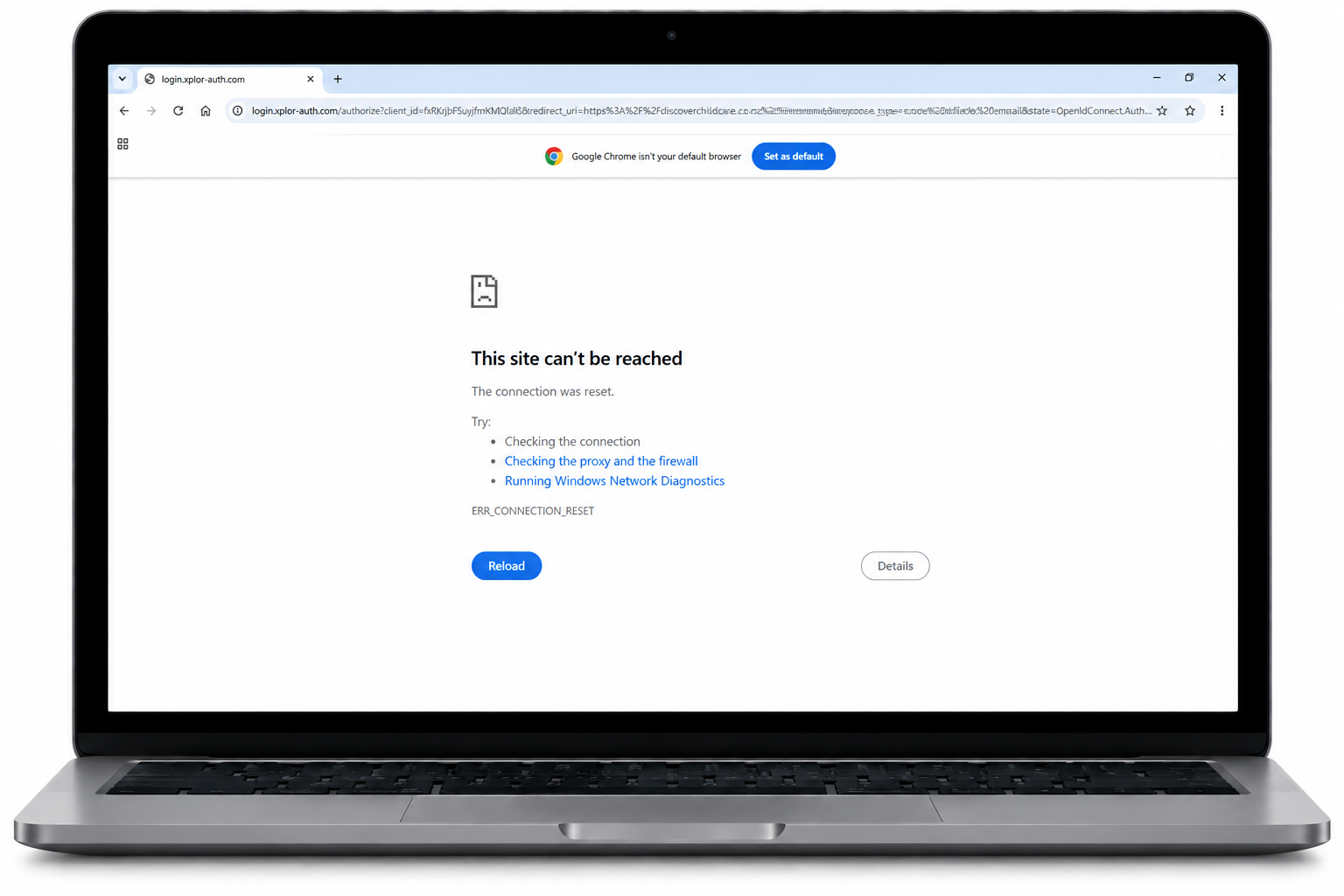
If your service has IT or security restrictions that prevent access to unknown websites, please ask your IT team to whitelist the following URLs:login.xplor-auth.com
auth.myxplor.com
cdn.auth0.comWhitelisting these addresses will help ensure you are taken directly to the Discover Log in screen, and do not get a screen that looks like this.
What's changing?
From Thursday, 22 October 2026, Discover will use an updated authentication process when users sign in.
When the change takes effect, you may find that you have been logged out of Discover and are required to sign in again.
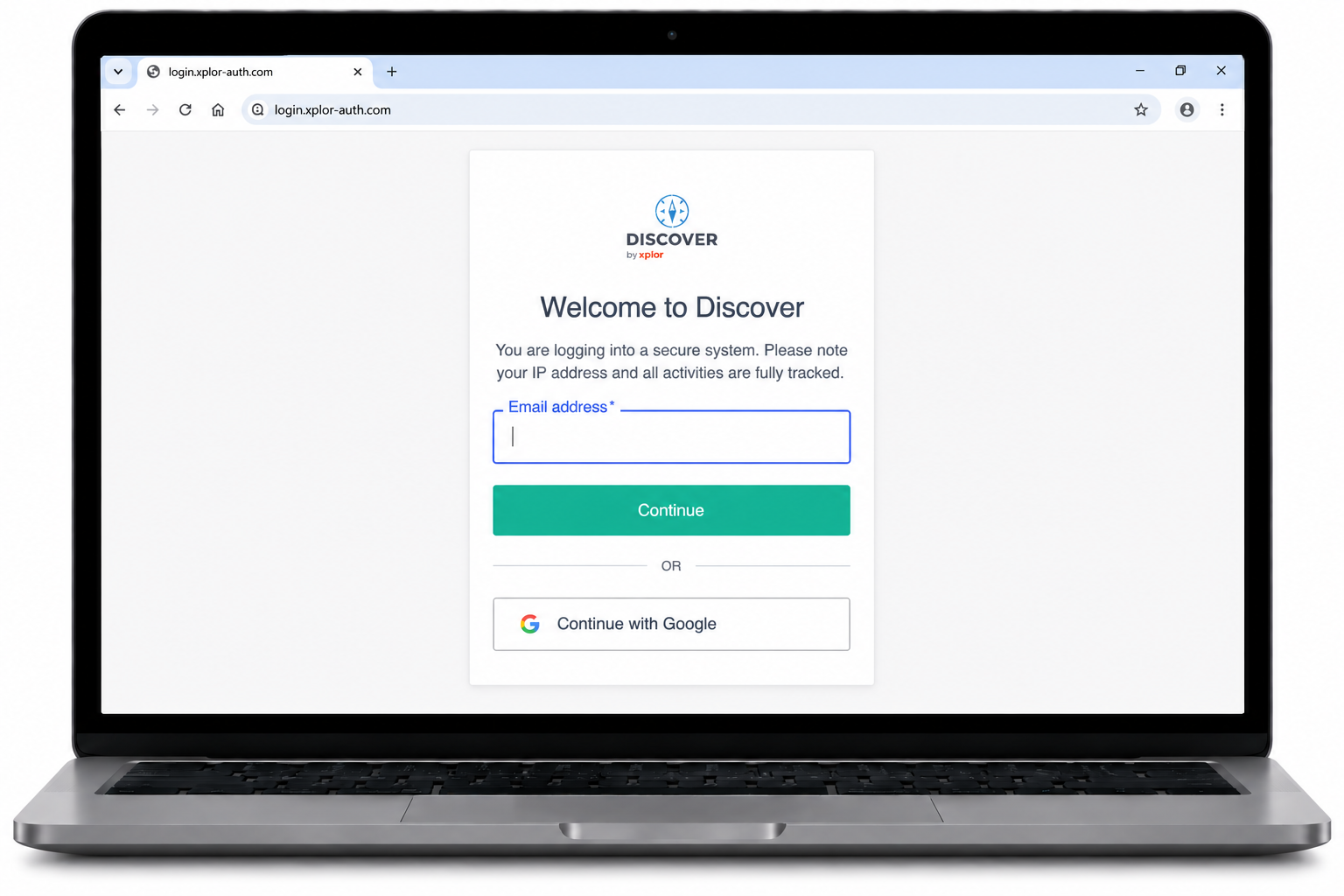
The login screen will look slightly different from the one you are used to, but you will continue to use your existing System Login Email and password to access Discover.
Your new login screen will look like this:
To login...
- Enter your email address.
- Select Continue.
- Enter your current password.
Logging in with the new authentication system may take slightly longer than usual while your account is being confirmed.
Please ensure that the email address you use to sign in to Discover (also know as a System Login Email) is an active email account that you have access to. This will ensure that if you cannot remember your password, you will be able to use the Forgot Password feature to reset your access.
Why are we changing?
This is our first step towards enabling additional sign-in options and continuing to align with industry best practices and user authentication.
FAQs
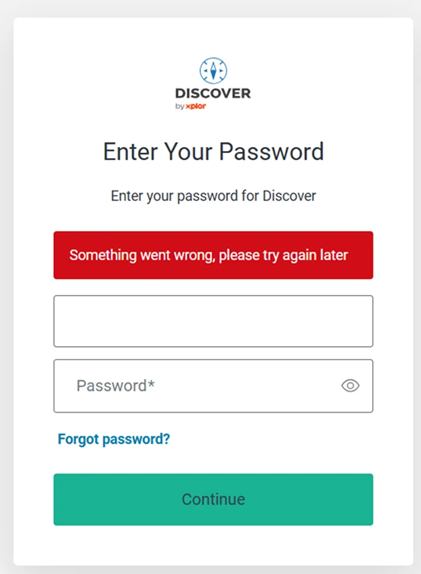
Q: What happens if my account isn't validated via Auth0 and I don't yet have a password?
A: You'll be presented with an error screen like this below:
Q: When I log in, it says that I'm not authorized to access this application. Why is this?
A: The error message will likely look like the image below.
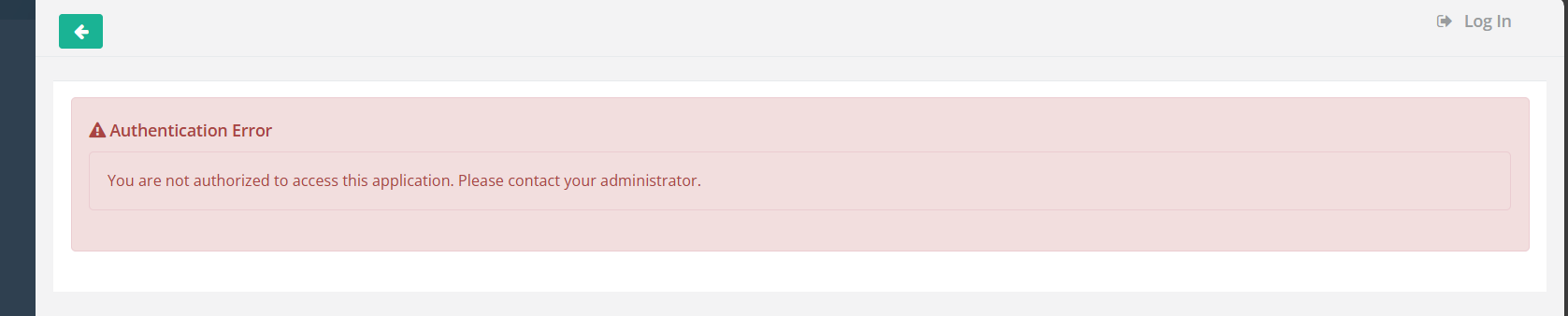
Your credentials exist within Auth0, but your profile hasn't been fully onboarded into Discover yet.
- Reach out to your Centre Manager to check your Staff Profile, confirming that you have a System Access Email.
- If this persists, contact our Support Team.
Was this article helpful?
That’s Great!
Thank you for your feedback
Sorry! We couldn't be helpful
Thank you for your feedback
Feedback sent
We appreciate your effort and will try to fix the article