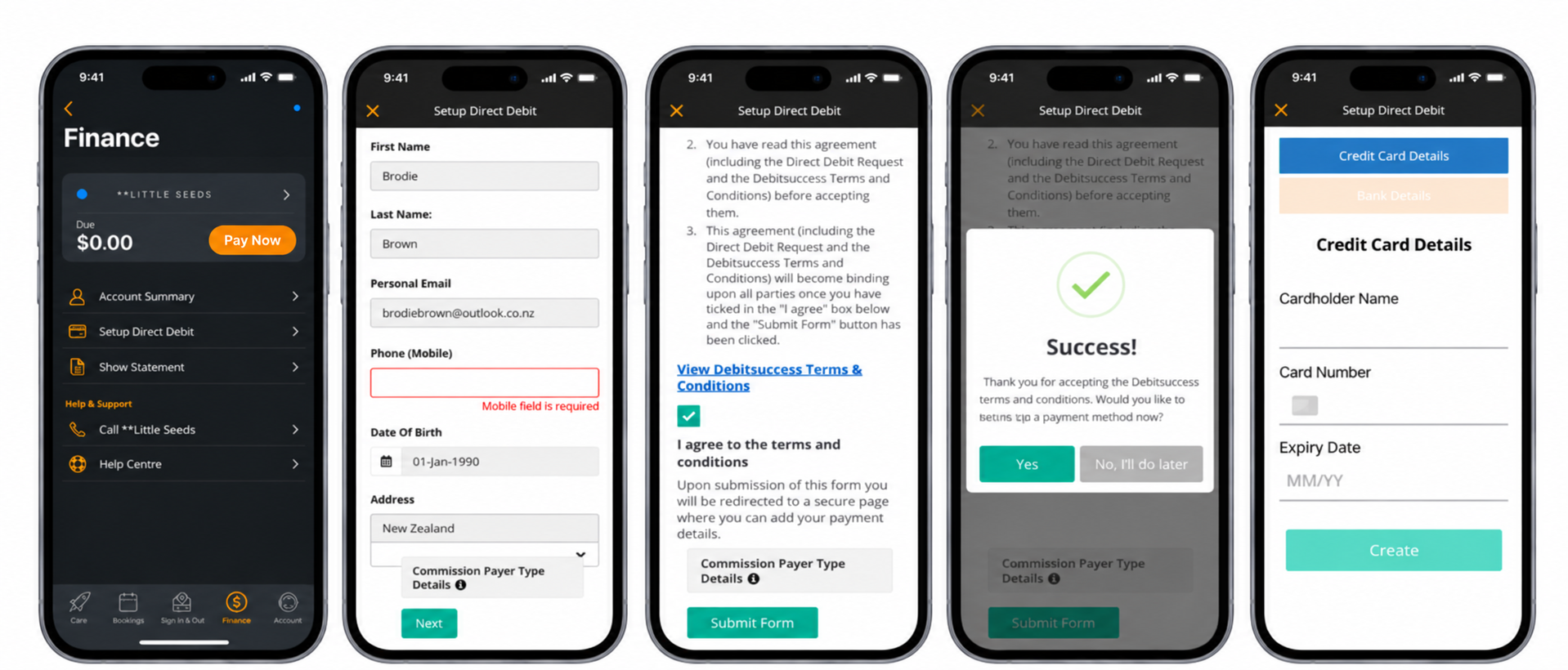
- Go to the Account Tab
- Go to Set Up Direct Debit
- Enter any missing details
- Select Next
- Tick the Terms and Conditions
- Select Submit Form
- Select Yes
- Enter your Bank Account Details or Credit Card
- Select Create
- Your Account Balance will be processed in the next billing cycle
There is also the option to Pay via PayNow if the centre has opted in.
This allows the Billpayer to make out of cycle payments if they choose.
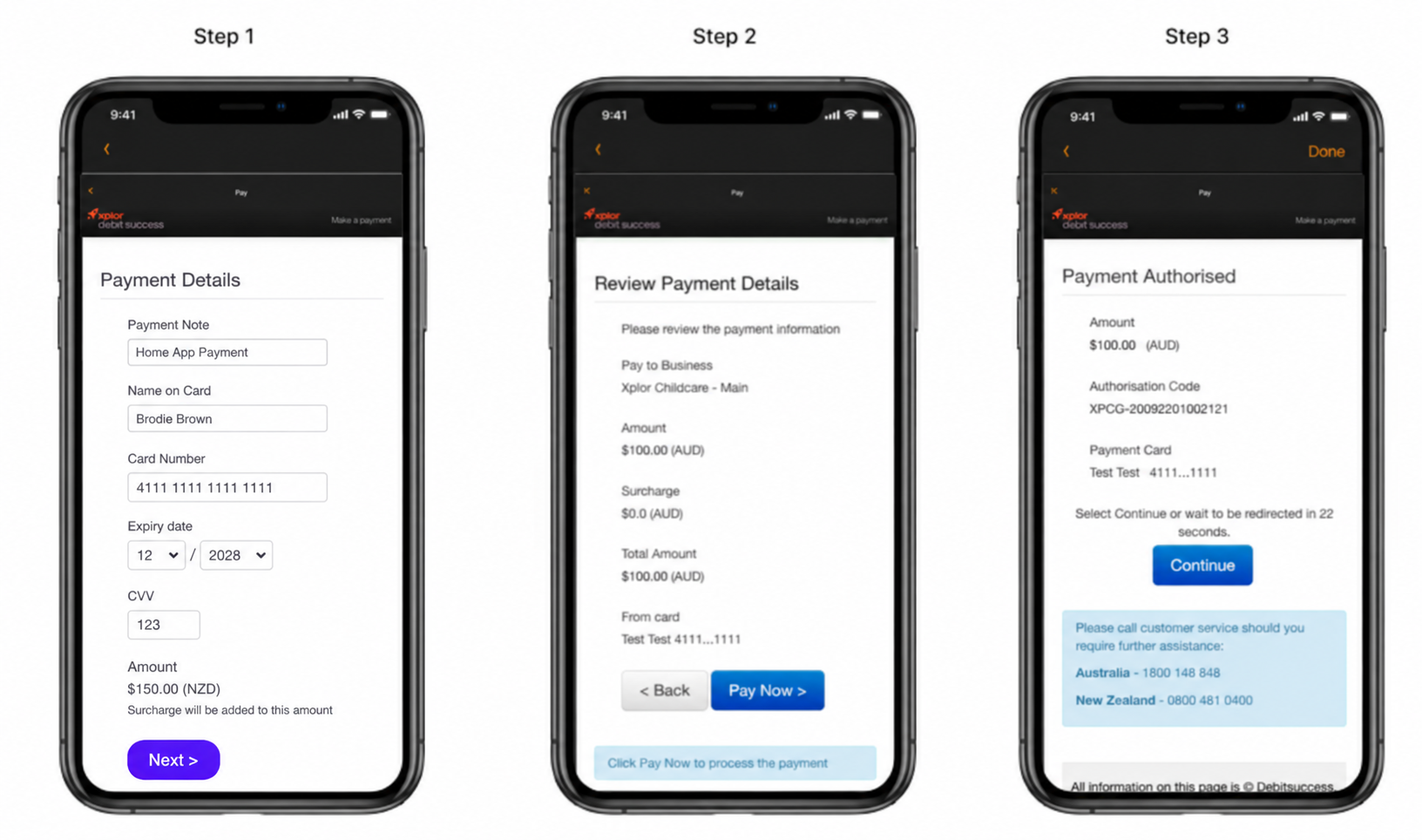
In the Home App
- Go to the Finance Tab
- Select Pay Now
- Enter your Card Details
- Review and Select PayNow
- Select Continue
- All done!
Was this article helpful?
That’s Great!
Thank you for your feedback
Sorry! We couldn't be helpful
Thank you for your feedback
Feedback sent
We appreciate your effort and will try to fix the article