Table of Contents
- Viewing and Cancelling
- Reporting
- Rejected/Declined Payments
- Viewing and Cancelling
- Pay Now vs Scheduled Payments
- FAQ
Viewing and Cancelling
Upcoming Xplor Pay Payments can be viewed and if necessary, cancelled by navigating to Payments > Scheduled Payments.
Select the week start date and the status (if relevant), then click 'Get Scheduled Payments'.
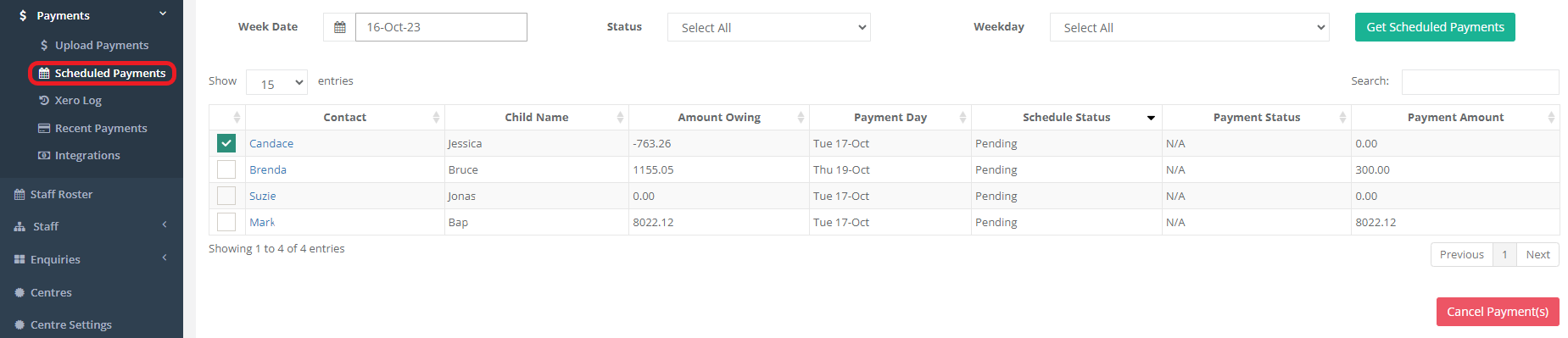
Amount Owing: The current balance of the account, as of the time this report is generated.
Payment Day: This column will reflect the custom day (if set) for bill payers, or the default day.
Schedule Status: The status of the payment being sent to Debit Success.
Payment Status: Whether the payment is processing, completed or declined.
Payment Amount: The amount the bill payer is scheduled to pay (this will reflect any Direct Debit amounts/limits entered in the bill payer's profile).
To cancel a payment, select the check box next to the bill payer/s name/s, then click 'Cancel Payment's' at the bottom of the table.
Please note, you will only be able to cancel a payment before 5:00am the morning of the payment day for the bill payer/s.
Reporting
To view a list of previous or upcoming payments, go to Reports > Finance Reports > DebitSuccess Direct Debits.
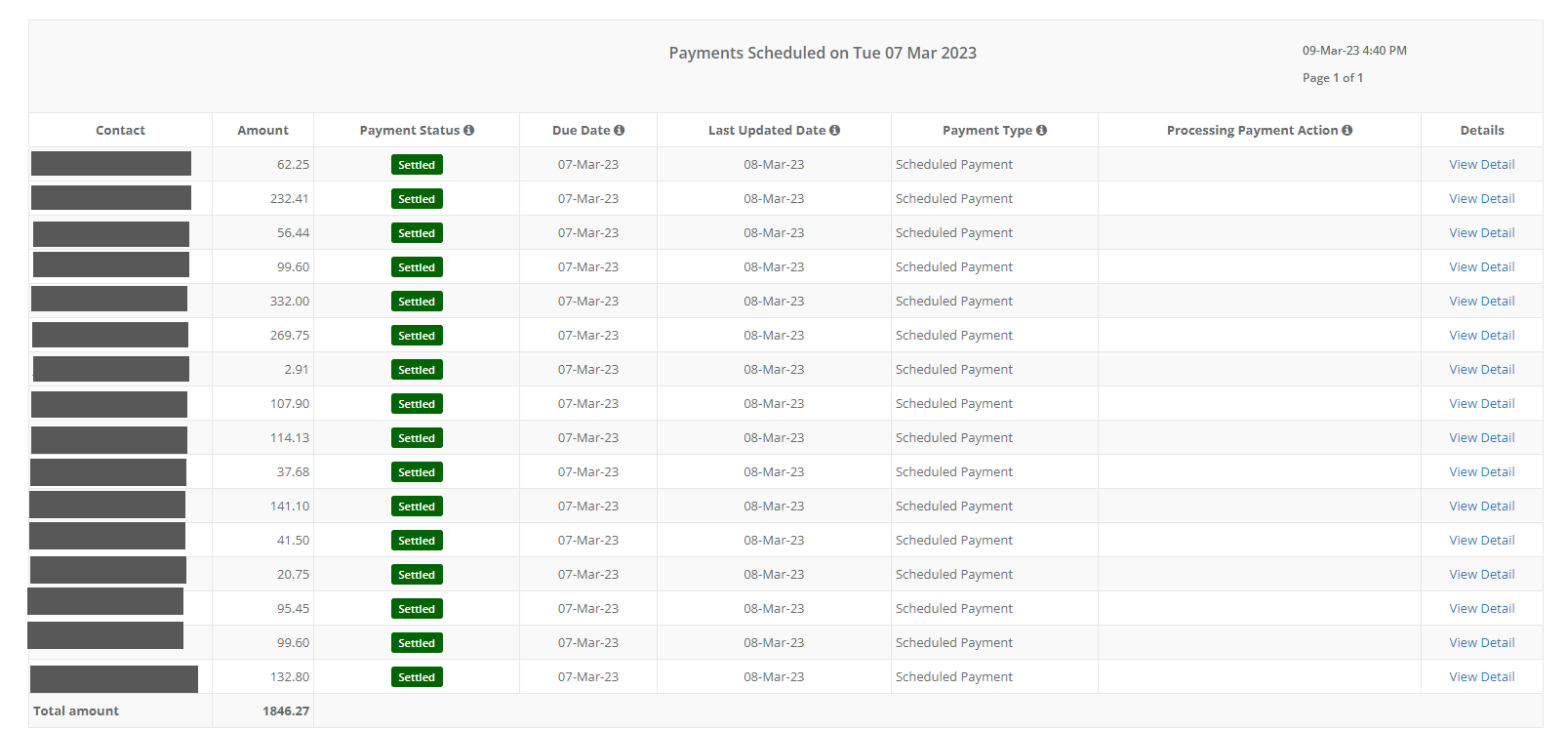
Payment progress from invoicing through to settlement/rejection can be tracked via the 'Status' column.
Debit Success will also send a daily Payout Report to the email address listed on the Management Agreement.
Rejected/Declined Payments
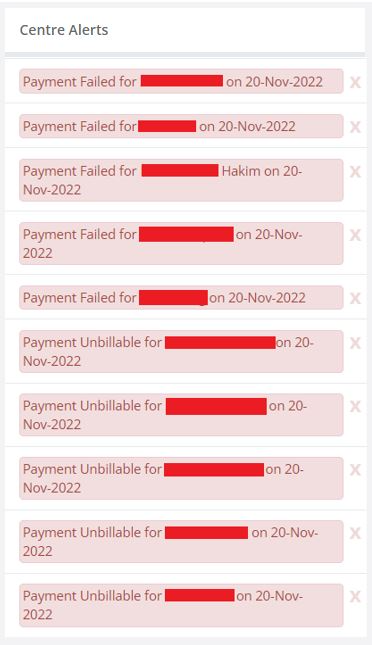
If a Bill Payer's payment declines, this will be visible on the Dashboard under Centre Alerts.
The Bill Payer will also receive an email letting them know their most recent payment has been rejected
Once a payment has been rejected, Discover will attempt to debit the outstanding balance the following week (alongside any additional balance invoiced after the most recent rejection).
After three failed payments, 'Pay by direct debit' will be unticked in the Bill Payer profile.
Pay Now vs Scheduled Payments
Payments made via Pay Now and those made via Direct Debit will appear differently in in Bill Payer Accounts.

Was this article helpful?
That’s Great!
Thank you for your feedback
Sorry! We couldn't be helpful
Thank you for your feedback
Feedback sent
We appreciate your effort and will try to fix the article