You are able to use Discover to process Donations through your service.
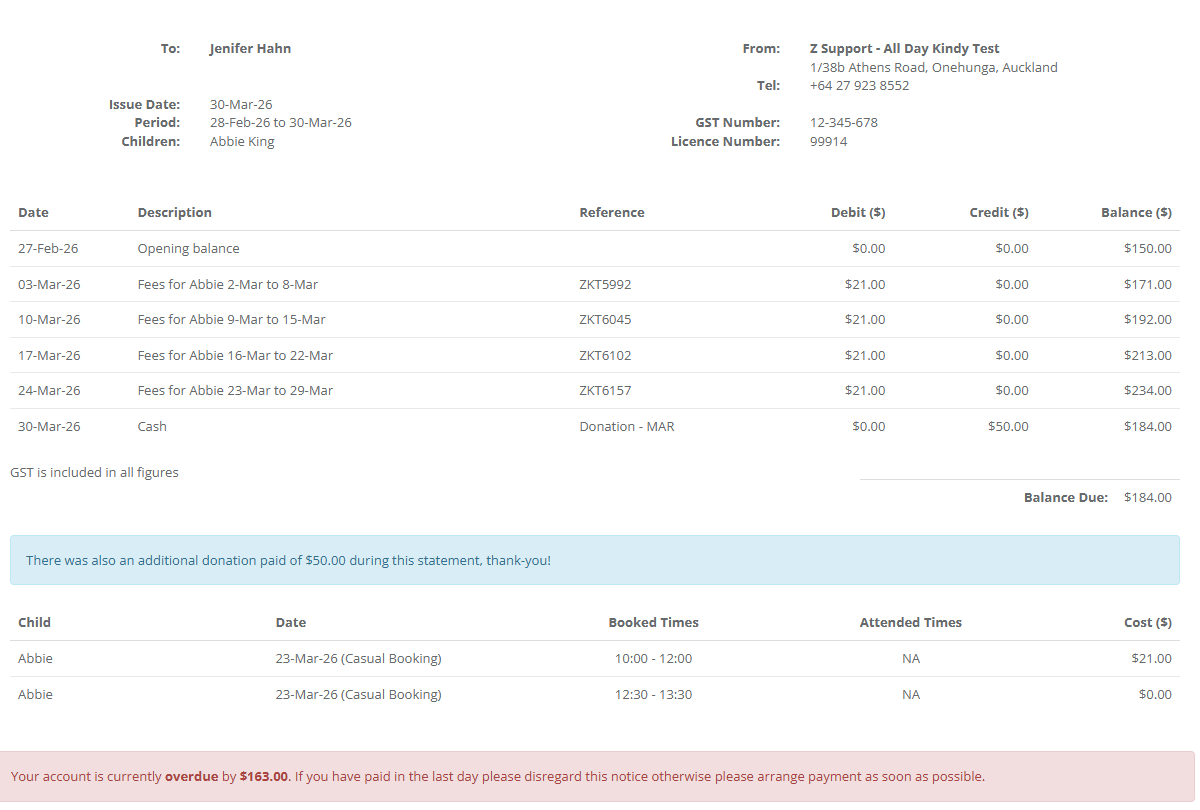
Families will be able to view Donations made to their service once this feature has been enabled. To do so, navigate to Centre Setup > Centre Settings > Invoice Settings and select Show Donation On Statement.
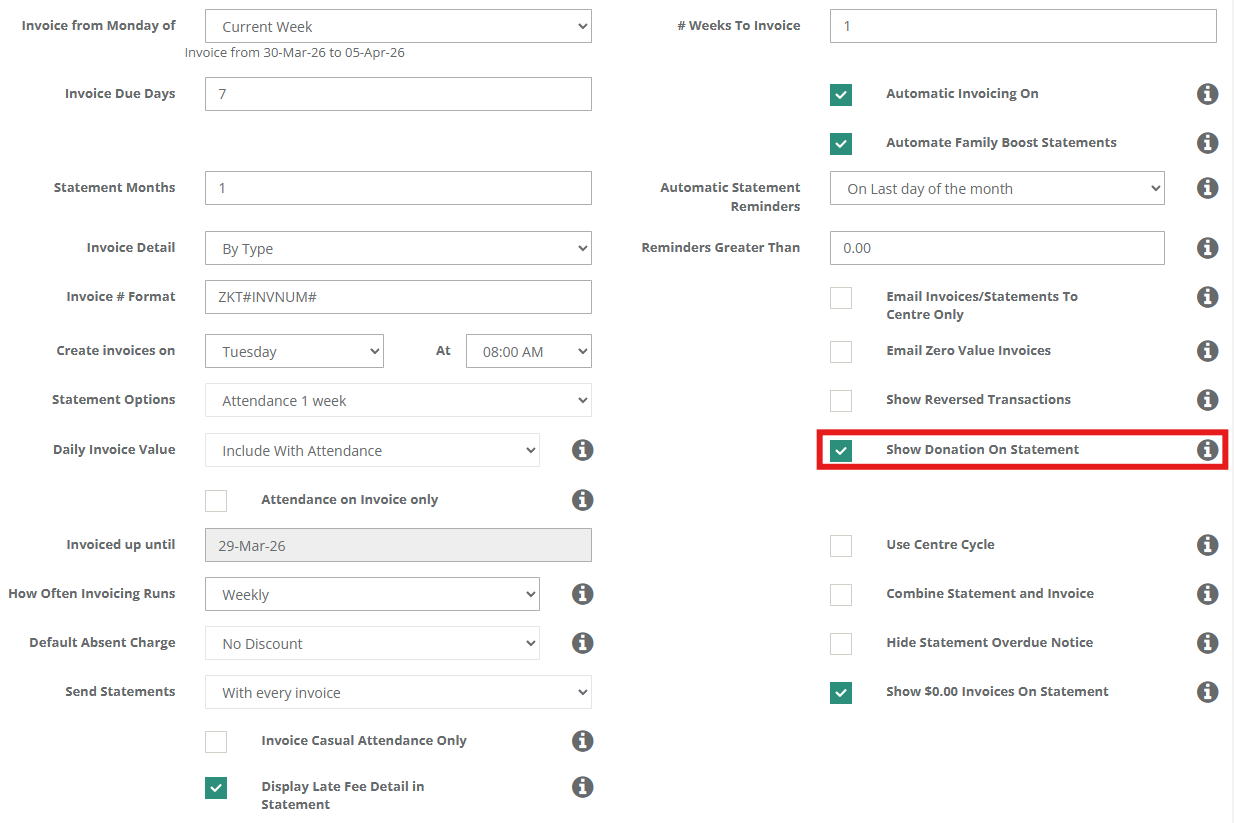
When ticked, donation value will be shown on the statement. When unticked, the donation values will be ignored.
To manually input a donation against a child's or billpayer's profile, navigate to the relevant profile, select Account and choose the Make Payment function at the bottom of the Account screen.
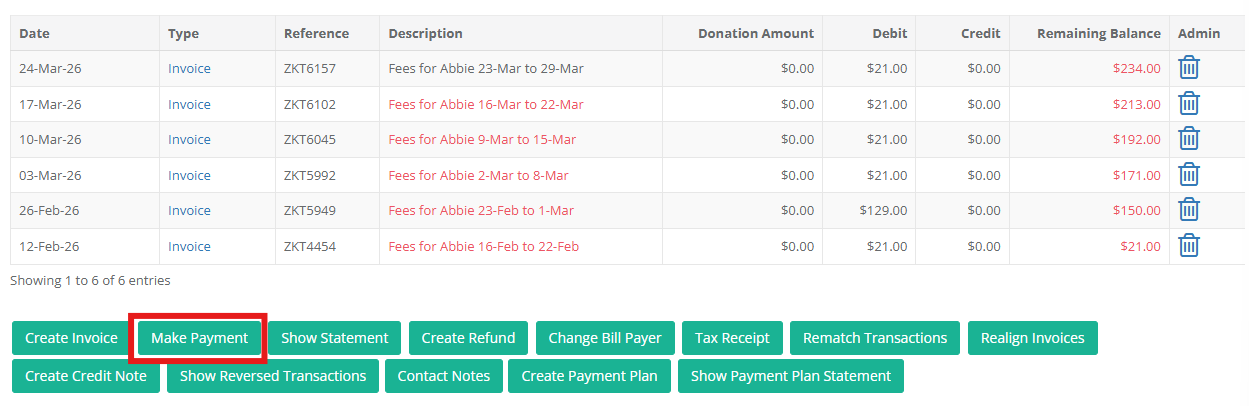
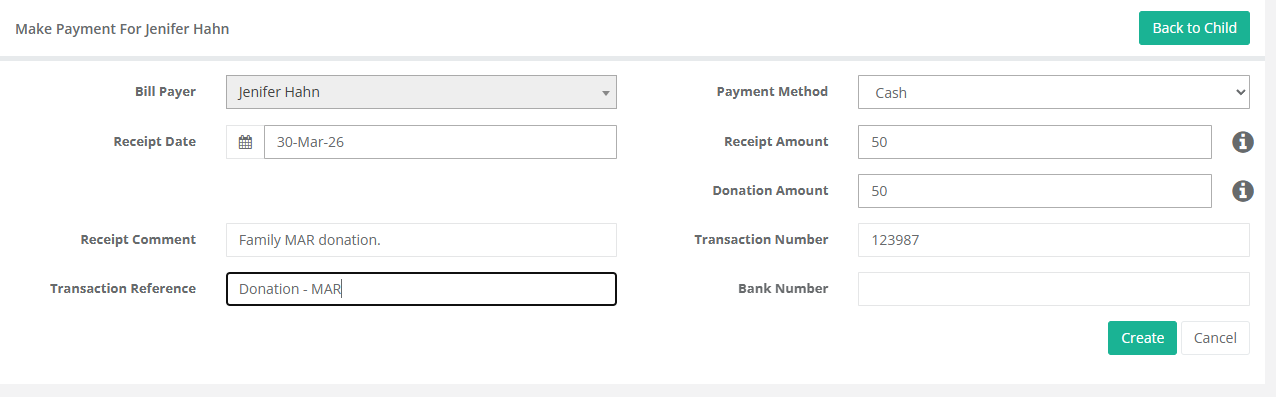
From here, you will have the option to input details as required, such as:
- Receipt date & comment.
- Transaction reference & comment.
- The payment method.
- Receipt amount.
Importantly, you will have the option to input the Donation Amount. Select Create when you're ready.
Once completed, there will be a new transaction listed on the Account Tab of the relevant child orbill payer profile.
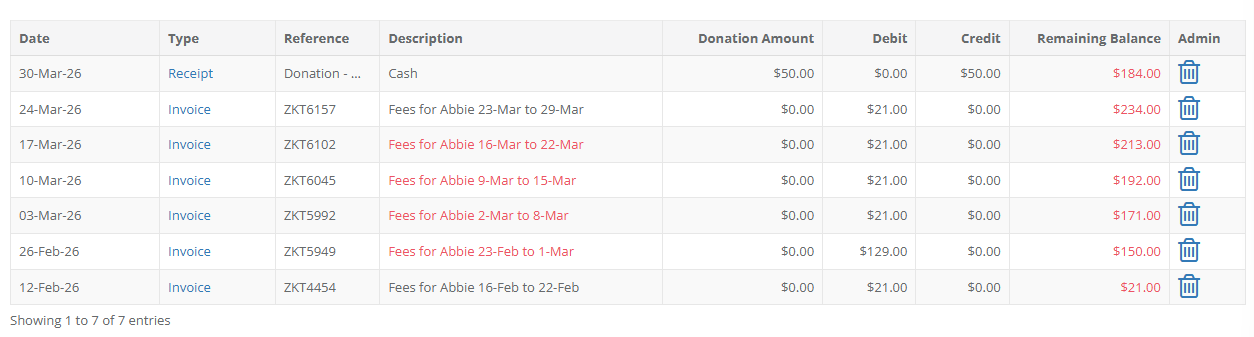
If Show Donation On Statement has been enabled this will also be visible on any generated statement.
Was this article helpful?
That’s Great!
Thank you for your feedback
Sorry! We couldn't be helpful
Thank you for your feedback
Feedback sent
We appreciate your effort and will try to fix the article