Option 1: Provide the Families with DDR Forms
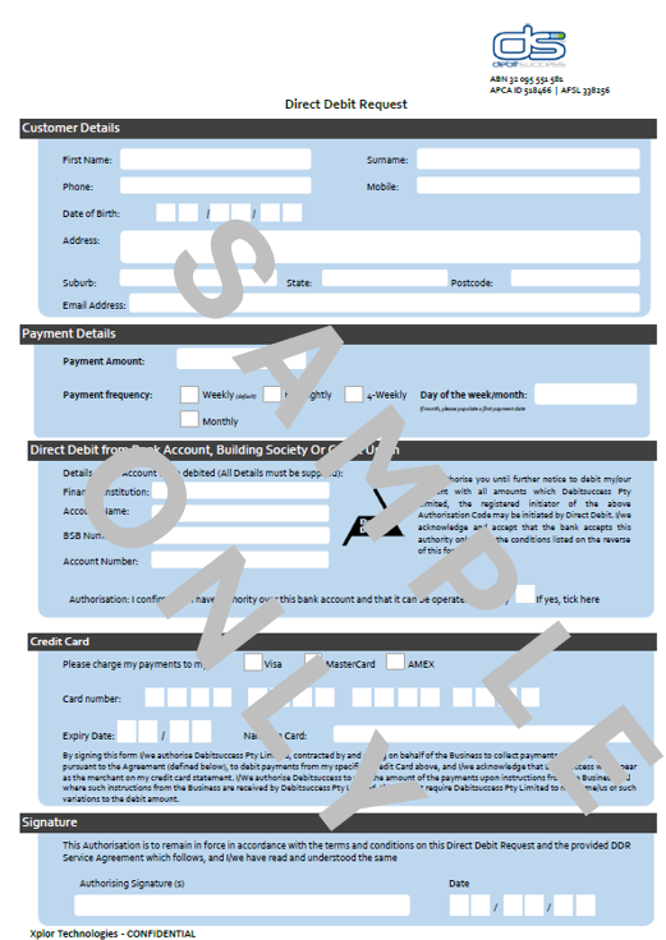
- Once this have been completed and returned
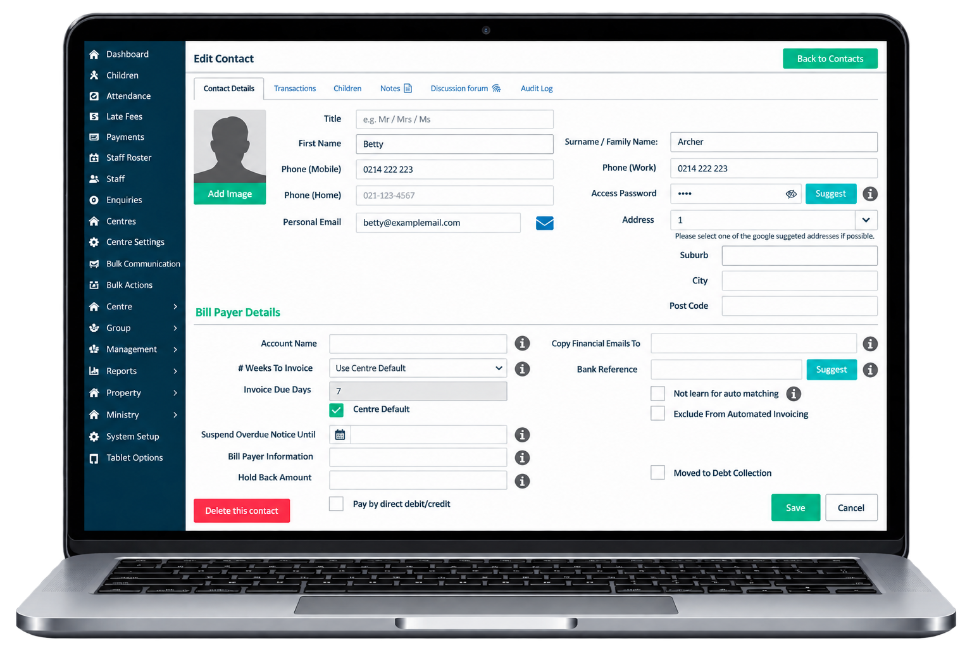
- Go to the Children Screen
- Select Contacts
- Select the Billpayer Profile
- Make sure Pay by direct debit/credit is ticked at the bottom of the billpayer profile
- Select Save
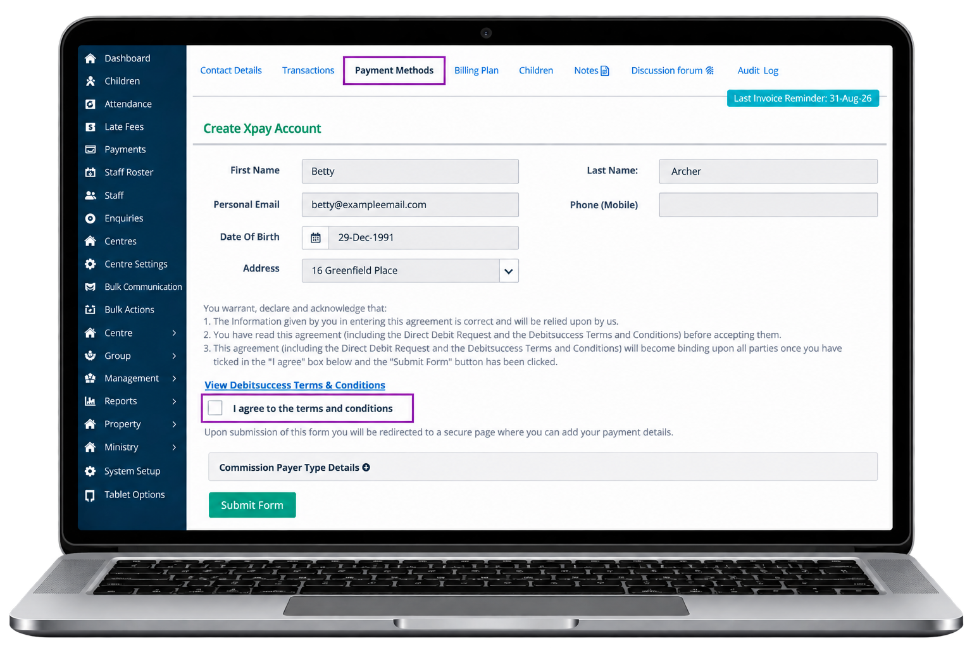
- Select the Payment Methods Tab
- Agree to the Terms and Conditions
- Select Submit Form
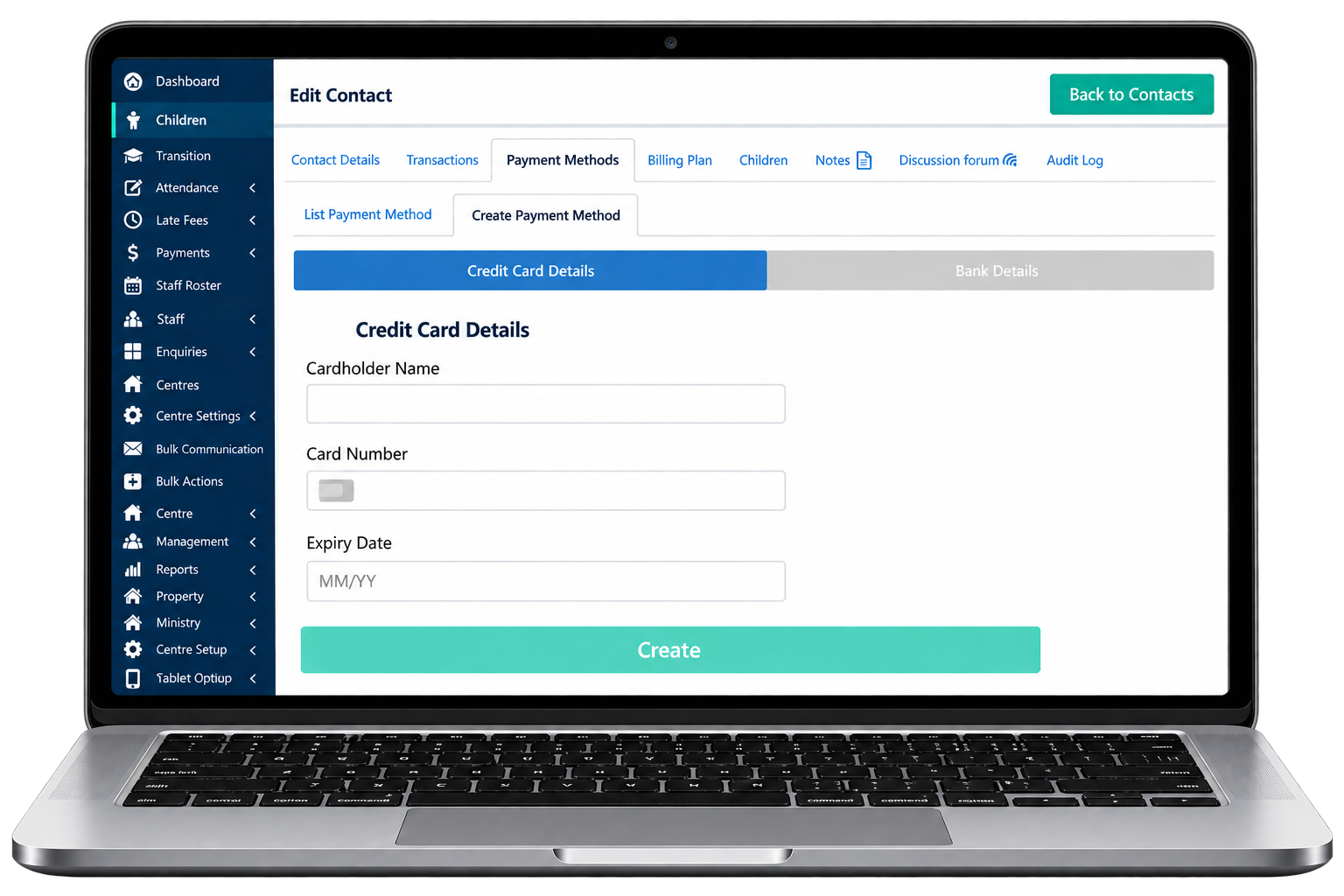
- Select Credit Card Details or Bank Details
- Select Create
- This family will be picked up in the next cycle for payments
Was this article helpful?
That’s Great!
Thank you for your feedback
Sorry! We couldn't be helpful
Thank you for your feedback
Feedback sent
We appreciate your effort and will try to fix the article